FIRESIDE CHAT NOV 3: Opendate + DoStuff: Generate New Fans and Revenue for Your Venues & Spaces

15
Register today!

Updates

See the latest Opendate feature releases, product improvements, and bug fixes. For updates on everything else we're building, subscribe to our monthly product newsletter + news.
October 15, 2025

Venue Rental Feature

Track room rental payments, including deposits and deductions from artist payments!
October 8, 2025

Make More Money with Round-Up Pricing [Now Live]

You can now round-up your organizer fee to the next whole dollar across all of your events!
October 1, 2025

Create Multiple Rooms under One Venue

Utilize our new stages feature to add a hold across more than one room in your calendar.
September 24, 2025

Custom Built Campaigns in Marketing

Use our drag and drop custom builder to design your own custom marketing campaigns!
September 12, 2025

Taxes in All In Pricing Update

We're adjusting how taxes appear on the checkout widget! Learn more here.
September 10, 2025

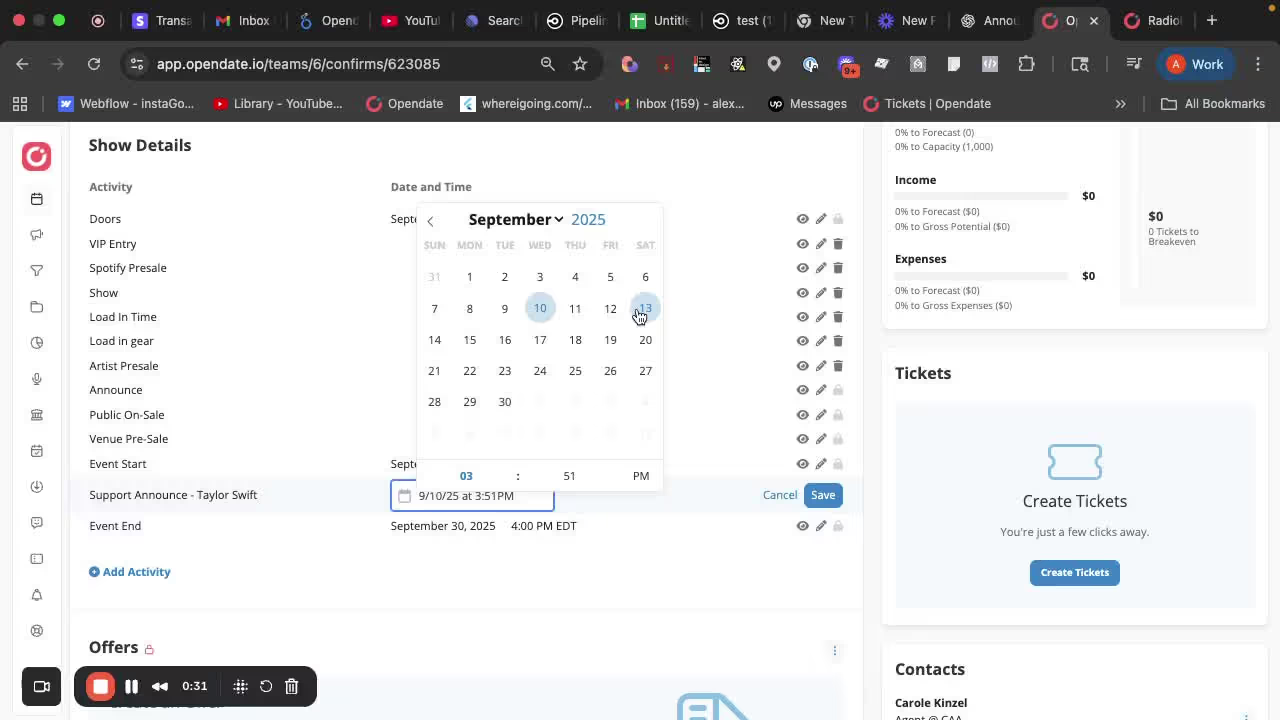
Schedule Publishing Support Artists

Now you can choose exactly when a support act appears on the public event page using show details.
September 3, 2025

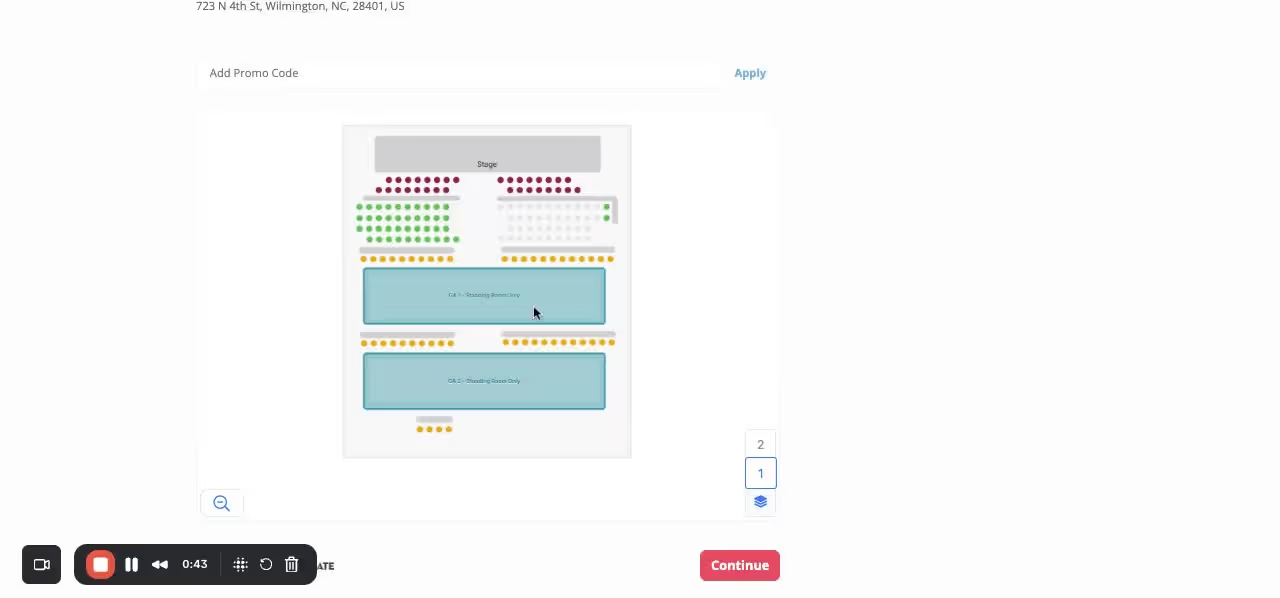
Reserved Seating Holds & Kills

You can now quickly manage seat availability with intuitive tools for holds and kills! Check it out!
September 1, 2025

Add Contacts to an Offer

Easily add Contacts to your offer!
August 28, 2025

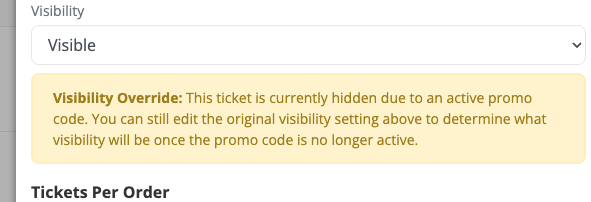
Ticket Visibility Override with Promo Code

Automatically switch tickets from hidden to visible with a promo code!
August 27, 2025

International Tax Withholding

Easily add tax withholding to your offers and settlements!
August 20, 2025

Ticket Audit Report

We’re excited to introduce the Ticket Audit Report, designed to give you a clear view of how every ticket type is set up and performing — all in one place.
August 13, 2025

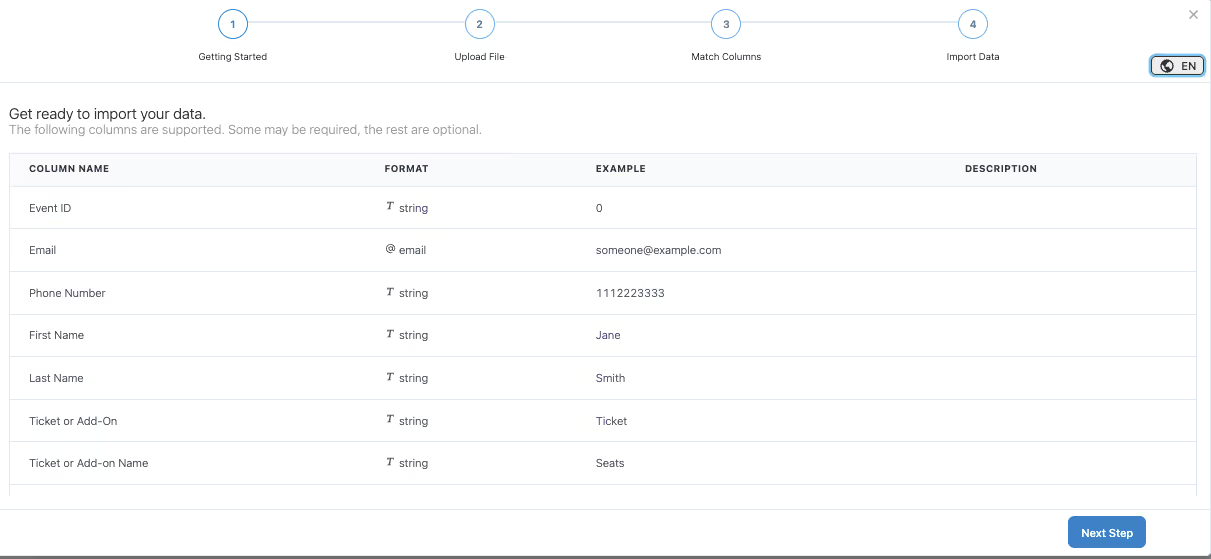
CSV Imports to Create Tickets

We’re excited to announce that you can now upload off-platform sold tickets directly into Opendate using our new CSV Import tool. This update makes it easy to: Add tickets sold outside of Opendate (e.g., box office, other ticketing platforms) Keep all your ticket data in one place for accurate reporting Ensure all attendees have a valid ticket in your system How it works: Download our CSV template. Fill in your ticket details (buyer info, ticket type, price, etc.). Upload the file into your event in Opendate. Your imported tickets will instantly appear alongside tickets sold on Opendate — making check-in seamless for every attendee.
August 6, 2025

Clear Holds on a Date

Manage your calendar's holds faster than ever! You can now clear all holds on a specific date with just a few quick steps. In the calendar view, simply click Options in the top right and select "Clear holds on a date." A popup will appear, pre-filled with the month you’re currently viewing, so you can quickly choose the exact day.
August 6, 2025

Target Dates

We’ve added a powerful new way to manage your calendar holds — Target Hold Dates! Now, when you're creating or editing a hold, you’ll see a target icon next to each date. Use this to mark one of your holds as the primary (target) date. This target will be visually highlighted on the calendar, making it easy to identify your preferred date at a glance.

August 1, 2025

New Feature: SMS Broadcasts Are Here!

Send texts to your fans just like email — with merge tags, click tracking, and real-time delivery stats. Integrate with Twilio now!