FIRESIDE CHAT NOV 3: Opendate + DoStuff: Generate New Fans and Revenue for Your Venues & Spaces

15
Register today!
This is some text inside of a div block.
Calendar & Holds

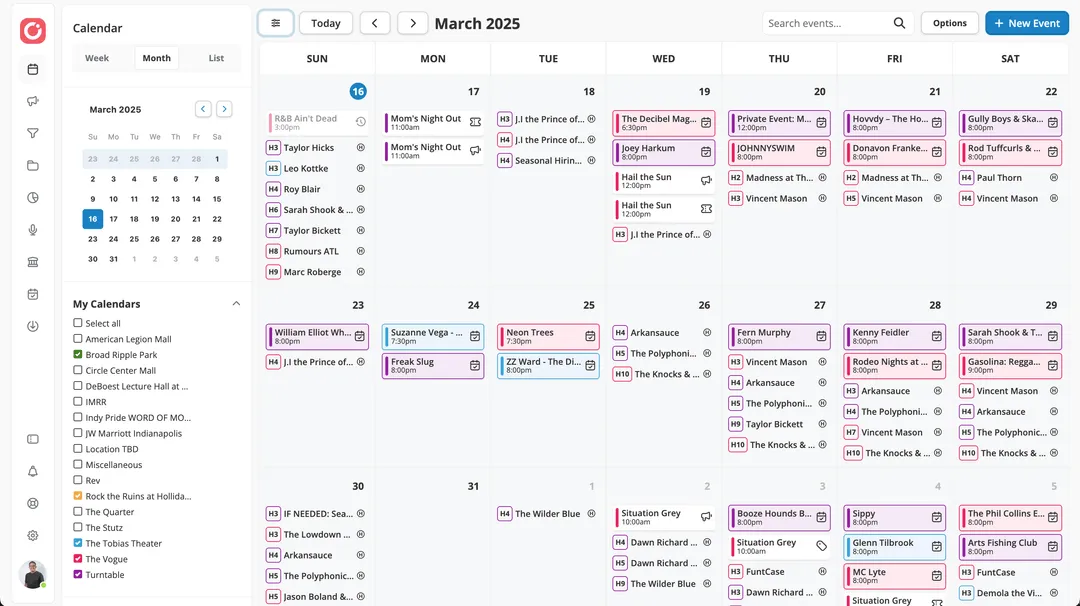
A calendar Built for venue management

Ditch the digital duct-tape! Manage your venue with a calendar designed to be a system of record for your entire team.
Header image
Features

Calendar & Holds

Manage all of your holds and confirms across multiple venues in a single calendar.

Hold challenges

Challenge the hold ahead of yours, track every response deadline in one list, and record the outcome without leaving the calendar.

Google Calendar sync

Confirmed events flow to Google Calendar automatically.

Check avails

See open dates instantly across venues and rooms, and add a new venue inline while placing a hold.

Keyboard shortcuts

Hot keys for power users who live in the calendar.

Mobile calendar

Full month view, search, and hold management from a phone.

Attractions mode

A calendar configured for attractions and experiences rather than one-night shows.

Show activity timeline

Announce, presale, and on-sale milestones tracked as activities, with scheduled publishing for lineup changes.

Tabbed event page

One home for each event, with tabs for details, lineup, holds, offers, ticketing, finances, and assets.

Smart event setup

Event type and genre auto-detect from the title and artist. Default start, door, and end times cascade when the start time changes.

Rooms and stages

Model multiple rooms or stages inside one venue and move any hold or confirm between them.

Ranked holds

Place holds with positions and target dates, clear individual holds right from the calendar, and copy dates and statuses in one click for agents.

Multi-venue calendar

Month, list, and day views across every venue and room you run, with drag-to-reorder venues and optional grouping of holds and confirms.

all of your calendars in One place

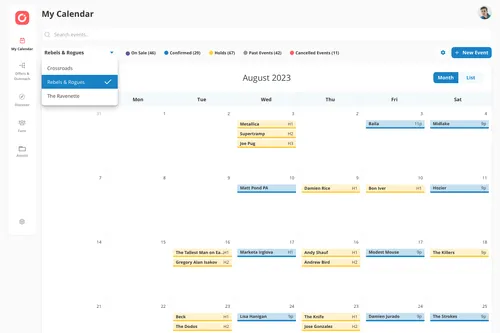
Managing multiple rooms? Easily toggle through calendars to view the information you need, without ever leaving the tool.
Manage multiple venue calendars on one screen
Easily switch between calendars or view multiple at once
Keep all your events in sync

Categorize holds, bookings, and more

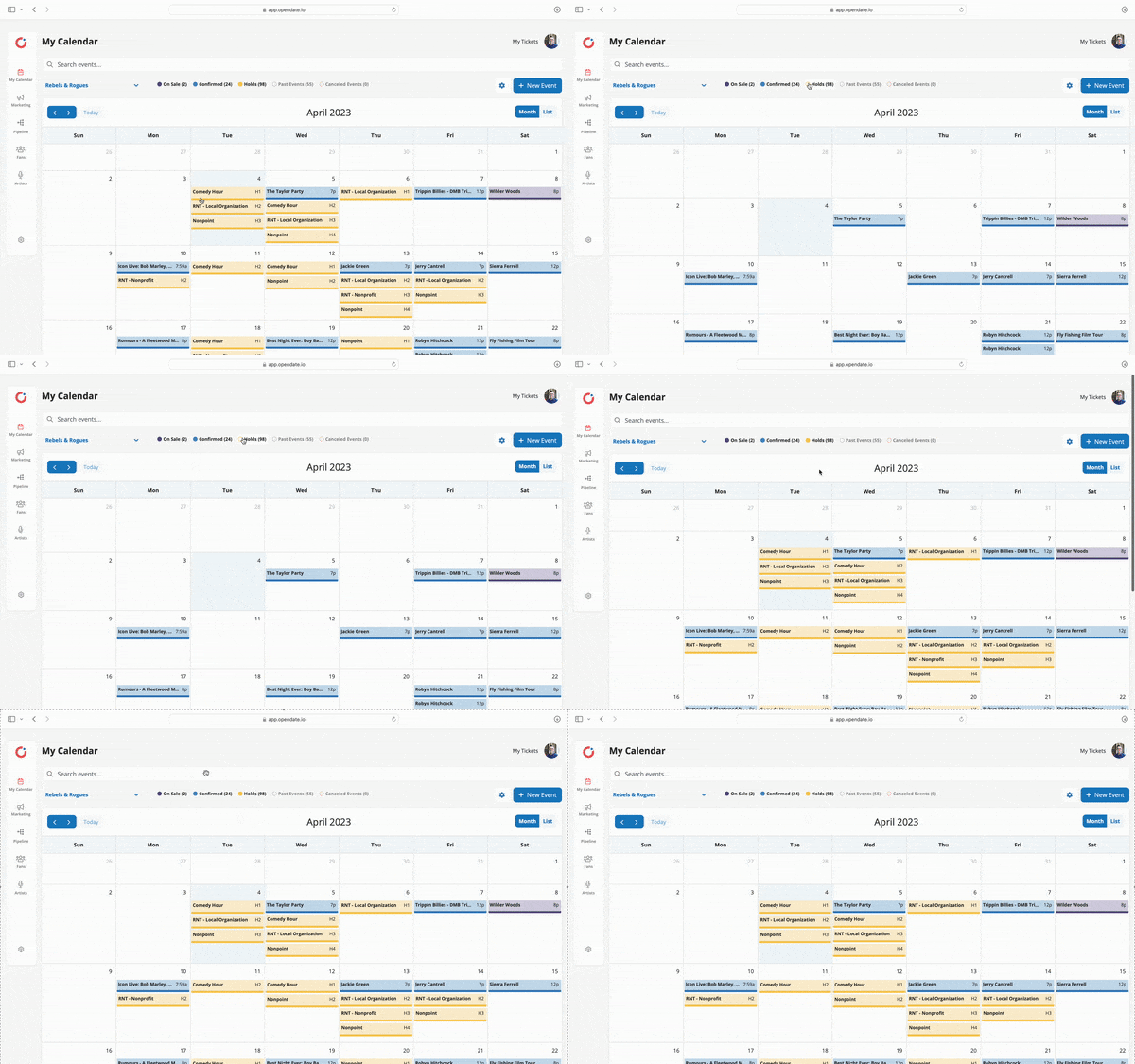
With a single click, see your holds, on sale, or confirmed events in a calendar or list view.
View as a calendar or a list - your choice!
Filter to see holds, confirms, on-sale, and past events

Rank, challenge, and automate holds

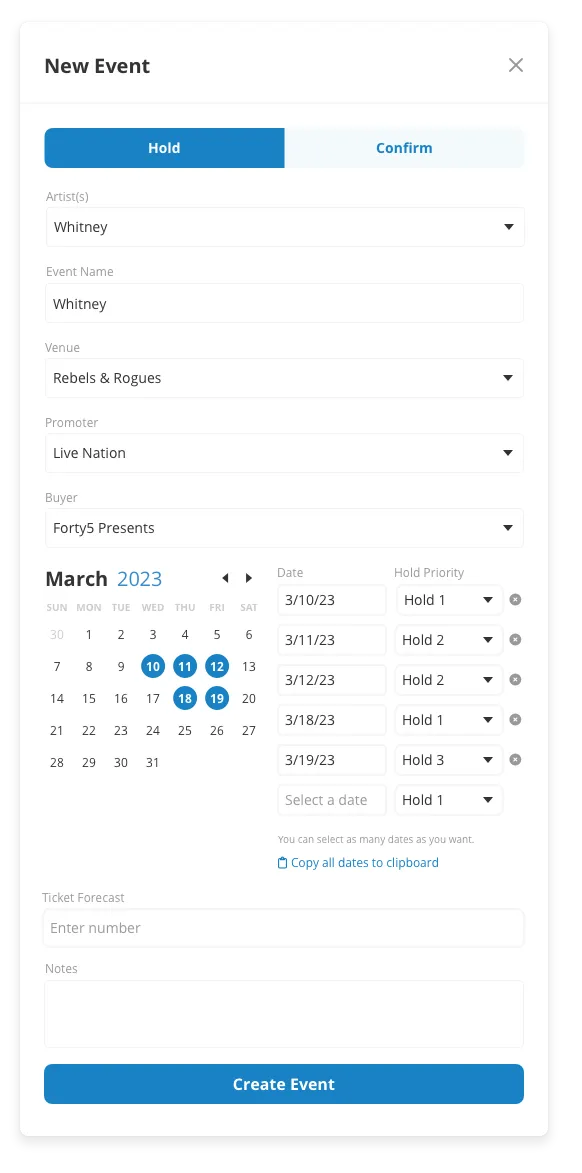
Rank holds based on how desirable an act is and give each one the option to either move up in priority when another hold is removed, or to remain in its current ranking. When a hold ahead of yours is in the way, challenge it and track the response deadline right on the calendar.
Challenge competing holds and track every deadline
Select multiple dates with varying hold levels
Configure holds to auto promote when another hold is deleted

Grab availability in a snap

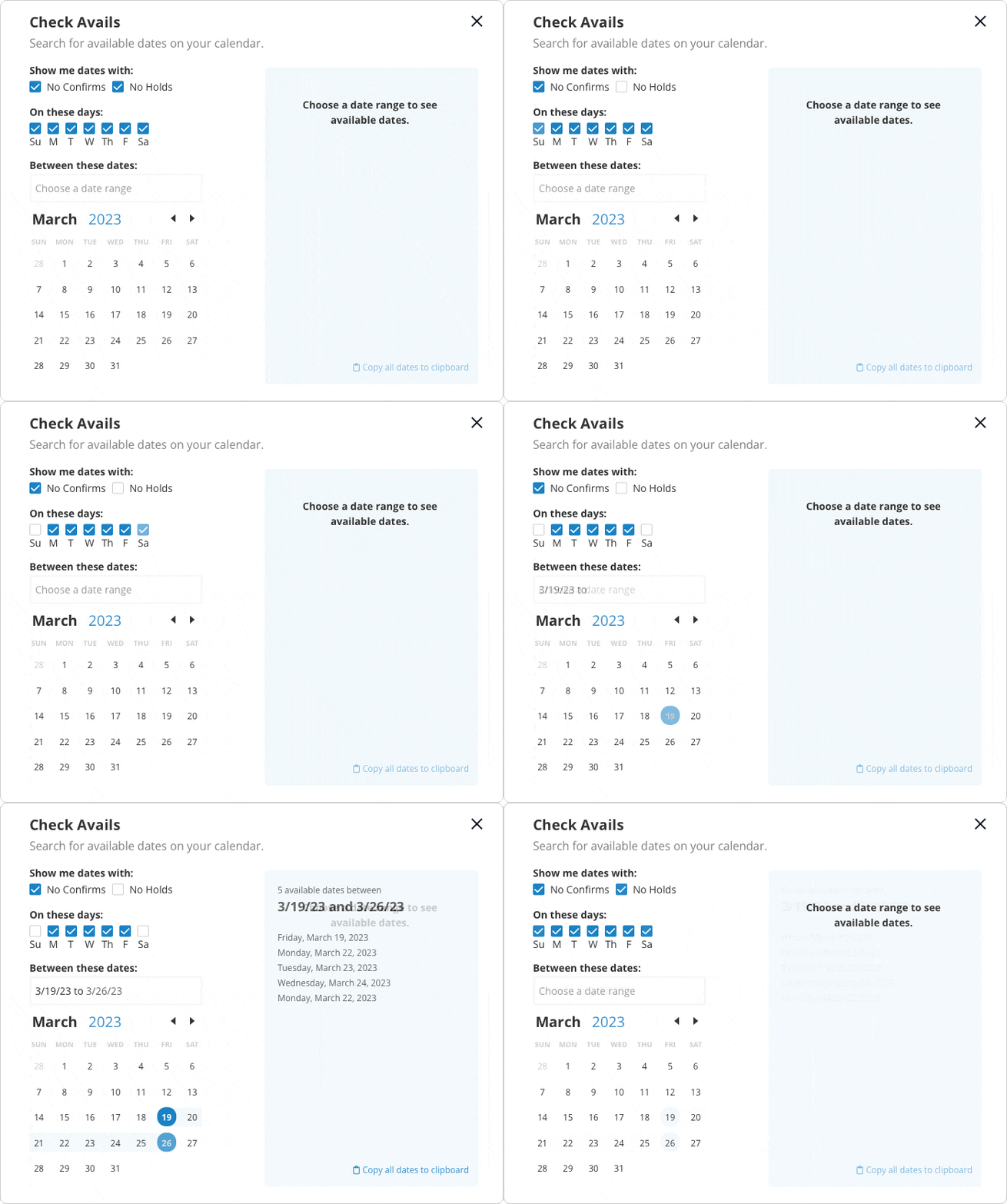
Manually digging through multiple calendars to find availability is a time suck. Easily check avails by entering a date range, then filter by holds, confirms, or specific days of the week. Then it’s copy, paste, and send to the artist team.
Easy filtering to zero in on your desired date range
Choose to includes holds, confirms, or both
Copy to clipboard and send to the artist team

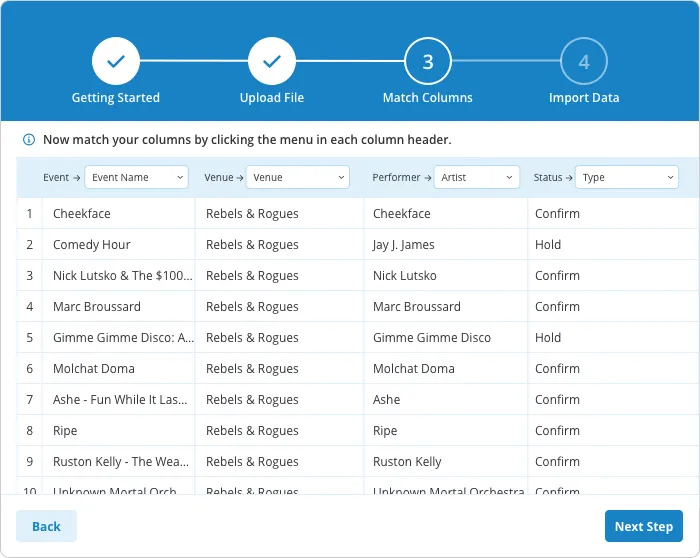
Easily import events

Import from Outlook, Google Calendar, or any CSV to keep all of your events and details in a centralized place.

Dashboard mockup
Dashboard mockup
Dashboard mockup
Dashboard mockup
Dashboard mockup

Run the show. Build the business.