The whole team, two parties, office hours, swag and so much more!

0
Join us at NIVA Con '26

Introducing Native Gift Cards in Opendate: Give the Night Out, Not Just the Ticket

Gift cards are now native to Opendate. Venue teams can sell branded gift cards on their own page, website and box office, and accept them right at checkout and at the door, with liability reporting built in.
Written by
Mollie Kuramoto
Published on
November 19, 2026

It's the second week of December. The box office phone rings, and it's someone who wants to buy their partner a night at your venue for the holidays. They don't know which show. They don't know the date. They just know their person loves coming to your room, venue, festival, or events.

Gift cards are one of the best things a venue can sell: money in the bank during a slow booking month, and a reason to come back for someone who may well spend more than the card. And while we previously enabled gift cards through an outside provider, we recently built them natively into Opendate so everything lives in one place.

Here's what's new.

opendate-gift-cards-sizzle-v4

Introducing native gift cards

Gift cards are now native to Opendate. Create branded gift cards, sell them on your own gift card page — on your website and at your box office — and accept them right at checkout and at the door, all in the same system as your tickets. Native gift cards bring creation, management, and reporting into Opendate.
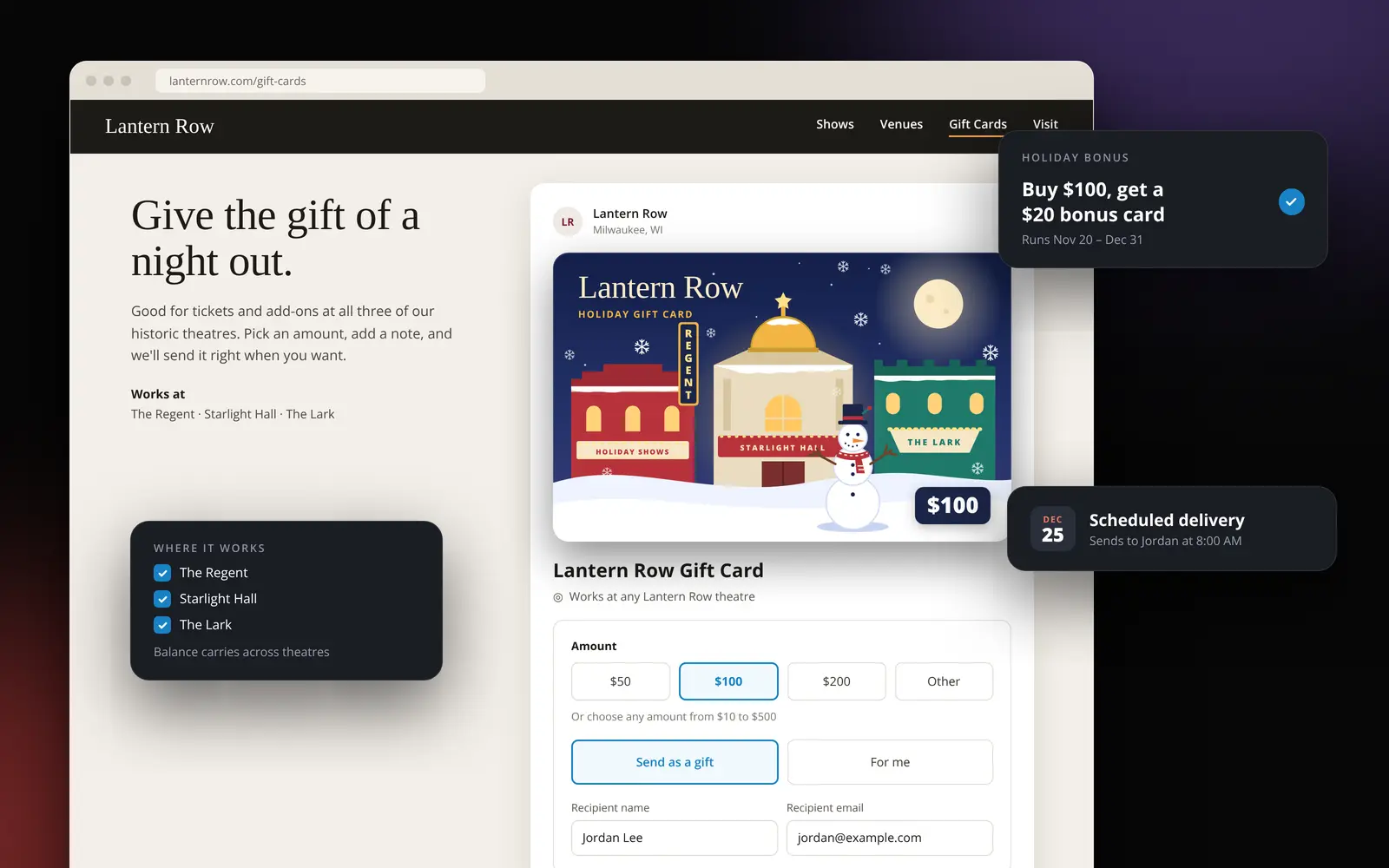
Create a card that looks like your venue

Setting up a gift card takes a few minutes:

  • Your artwork and terms: Upload your own design and add the terms fans see on their card.
  • Set amounts or let fans choose: Offer fixed amounts, a custom range, or both.
  • Choose where it works: Limit a card to one venue or let it work across all of your venues, with the balance carrying over.
  • Holiday bonus offers: Run a promotion like "buy a $100 card, get a $20 bonus card" between dates you choose.

Gifting that's seamless for everyone

Fans buy from your mobile-friendly gift card page or the embed on your website. They pick an amount, add a personal message, and send it right away or schedule it for a birthday or holiday. The recipient gets an email with their code, your artwork, the message and a printable version to tuck into a card.

Fans can check their balance anytime and see all of their cards in one place. Your box office can sell gift cards too, on their own or in the same box-office checkout.
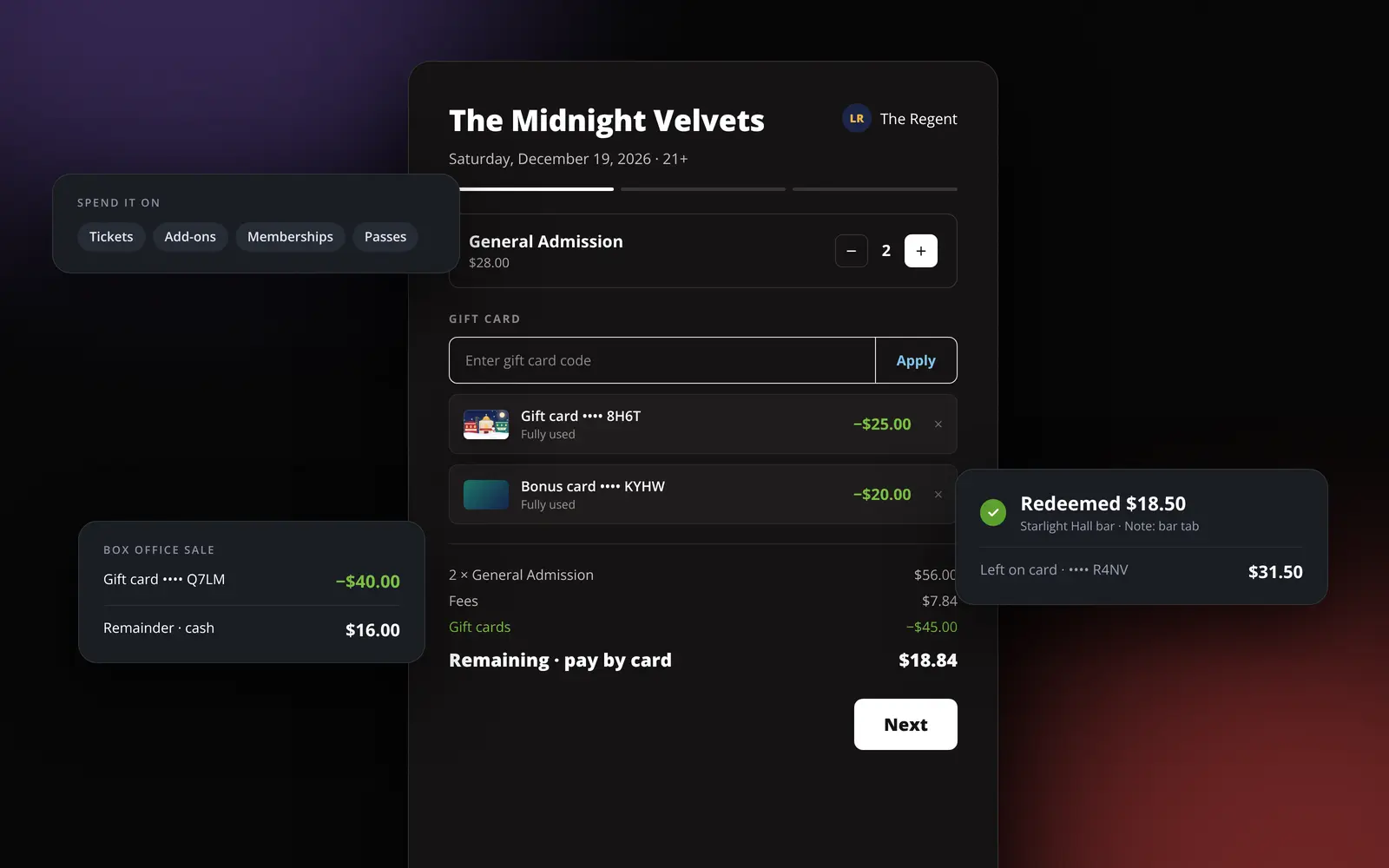
Spend it at checkout, or at the door

Gift cards work on tickets, add-ons, memberships and passes:

  • Online checkout: The gift card field sits on the first screen of checkout. Fans can use more than one card on an order and pay any remainder by card.
  • Box office: Your staff enter the code on a box office sale and take any difference by card or cash.
  • Bar and merch: Staff can redeem a card for purchases made outside Opendate, with a note on every redemption.
  • What's left stays on the card: Any unspent balance carries over to the next show.

Built for how venues actually run

Your team can look up any card by code, email, order or name, then resend it, update the recipient, or void and refund it. Every balance change requires a note and lands in an audit trail, and codes are masked everywhere except where they're needed. Chargebacks void the card automatically. Refunding a gift card purchase returns its remaining paid value to the original payment card, and purchases made by cash or check are refunded offline.

For finance, the liability report shows outstanding balances with aging, split between paid and promotional value, alongside sales, redemptions and a ledger export. Unclaimed property settings suggest a rule for your venue's state, so you can confirm it with your accountant before you file.

What this changes for venue teams

  • Revenue before the calendar is set. Sell the season before you've announced it.
  • Everything in one place. Create, manage and report on gift cards right alongside your tickets.
  • A bigger holiday push. Bonus offers and scheduled delivery make your venue an easy gift.
  • Numbers finance can use. Liability, sales and redemptions in one place.
  • An easy switch. Already using our Gift Up integration? We'll bring your existing cards over to native gift cards with their current balances, so your fans' codes keep working.

How to get started

For Opendate customers, the Help Center walks you through every step, starting with Creating Gift Cards. Here's the short version:

  1. Contact your Opendate team to enable native gift cards. Once enabled, team admins handle the steps below.
  2. Go to Settings, then Gift cards, to choose who pays fees, set your default terms and confirm your unclaimed property rule. (Gift Card Settings guide)
  3. Open Relationships, then Gift Cards, and click New product. Add your artwork, amounts, terms and the venues that accept it, then publish it.
  4. Copy the purchase link to share, or copy the embed code onto your website. (Selling Gift Cards Online guide)
  5. Show your box office team how to enter a gift card code on a sale.

Give the night out, not just the ticket

The holidays are the busiest gifting season of the year. Now your venue can be on the list.

Reach out to your Opendate team to get a hand with setup. New to Opendate? Book a demo to see it in action.
More from the blog

See more posts about

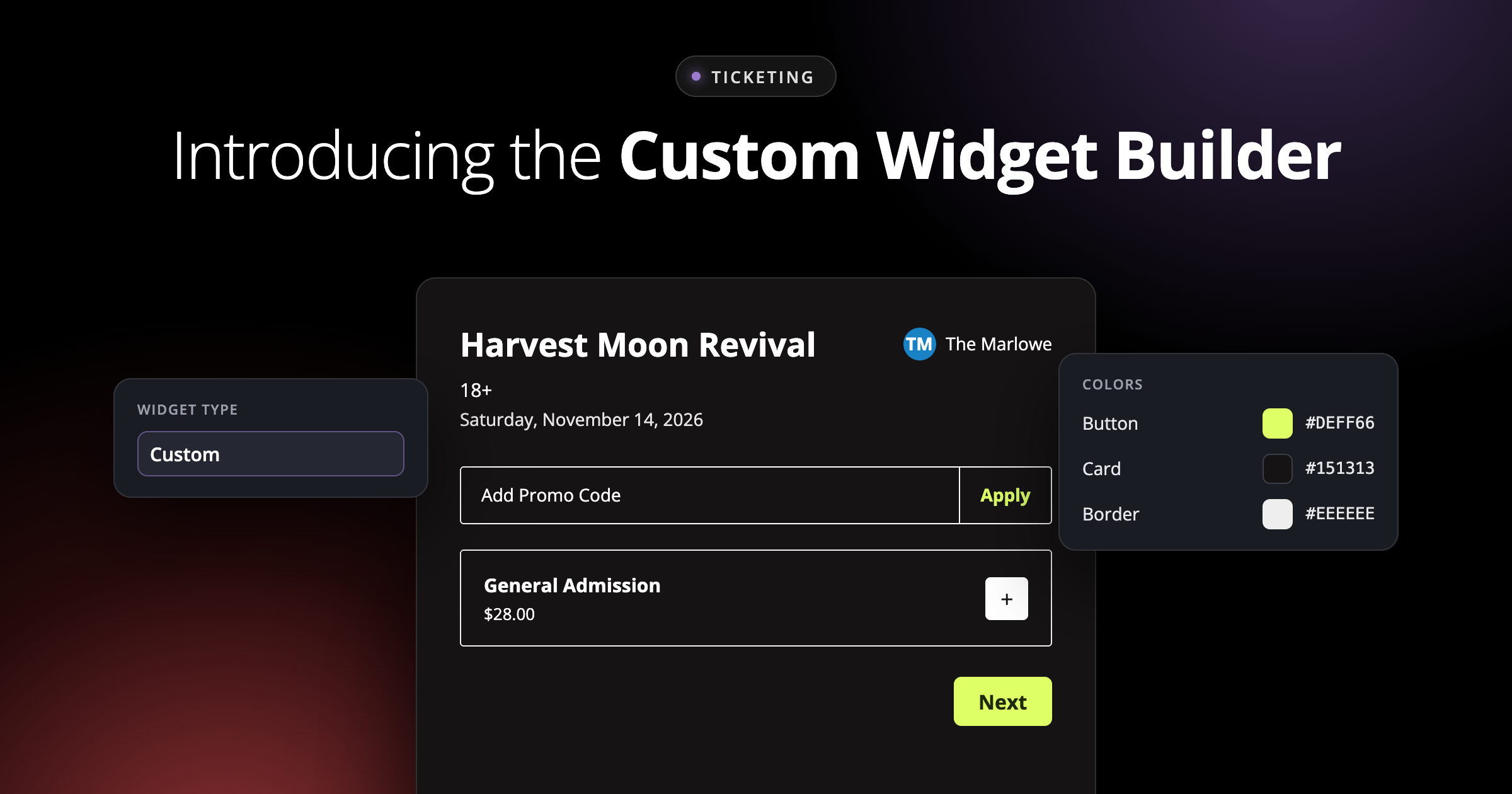
Introducing the Custom Widget Builder: Your Brand, All the Way to Checkout

The Custom Widget Builder lets venue teams design, organize, and preview an embeddable ticketing checkout that looks and feels like their brand, right inside Ticketing setup.

Demand moves fast. Now your prices keep up.

Dynamic Pricing brings demand-aware price changes to every Opendate venue. Set a base price and a ceiling on any ticket type. Opendate watches demand and adjusts within your limits. Never below base. Locked at checkout. Every price point on your settlement.