See the latest Opendate feature releases, product improvements, and bug fixes. For updates on everything else we're building, subscribe to our monthly product newsletter + news.
Ask Conductor what holds you have on a given date and it now counts every stacked hold position — including your spot in line — so availability answers are complete and correct.
You can now convert a hold into a confirmed event just by asking Conductor, no need to leave the conversation. It's the fastest way yet to lock in a date the moment a deal comes together.
Conductor can now create a fan segment from broadcast engagement, attach an existing segment to a broadcast draft, and export segments as a CSV. Reaching the right fans is now as simple as asking.
You can now connect Square to Opendate and pull per-event bar and F&B sales straight into your event picture. See total revenue per show without exporting or reconciling by hand.
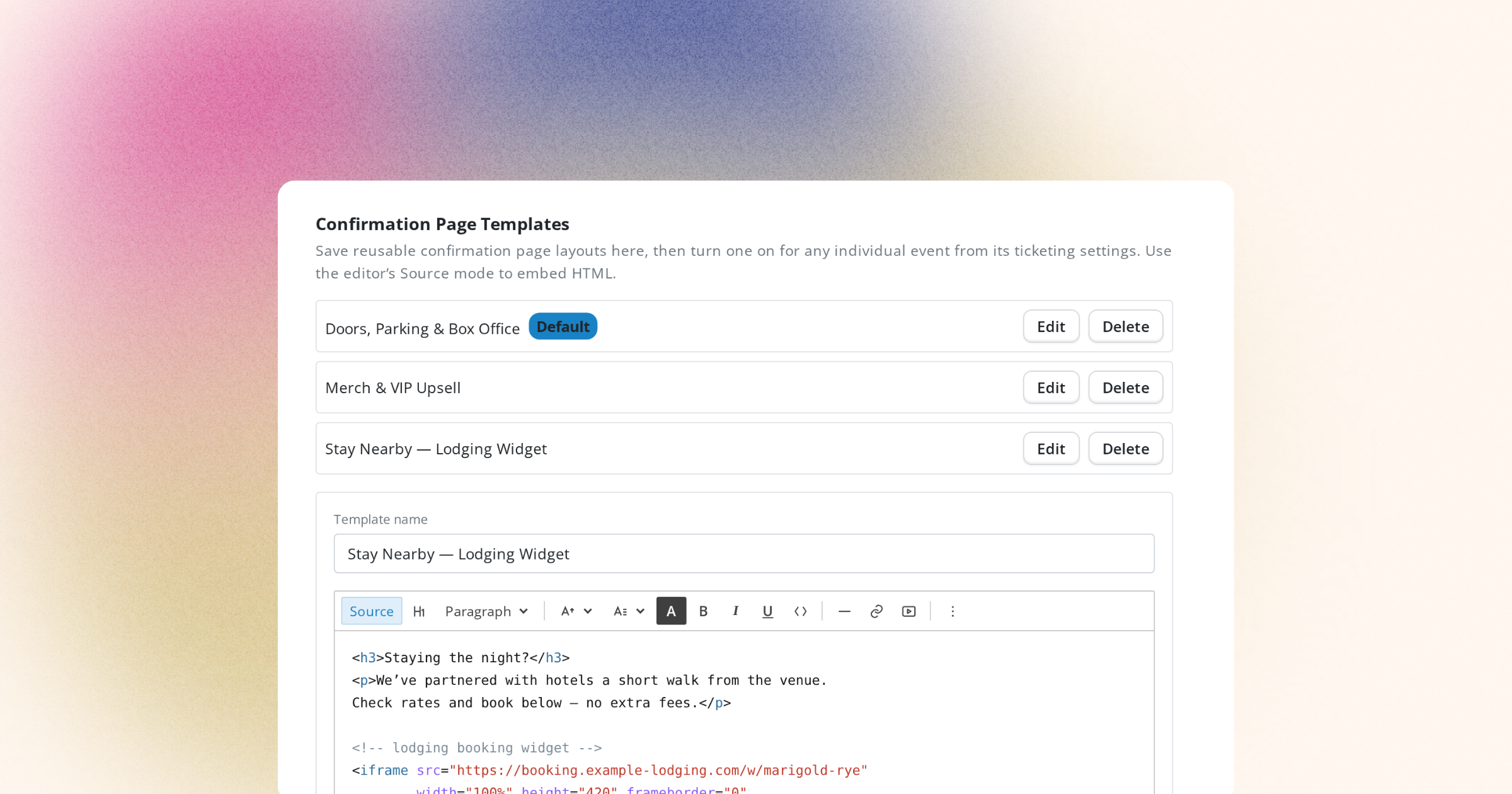
Your confirmation page now supports embeds, so you can drop in whatever matters most right after checkout — upsells, maps, a lodging widget like Cloudbeds, or anything with an embed code. Turn the post-purchase moment into a real touchpoint.
Rename, delete, and merge CRM tags in one place to keep your data tidy and your segments meaningful. No more duplicate or stale tags cluttering your workspace.
The redesigned holds view acts like an intelligence dashboard, giving you a clearer read on your holds and confirmations directly from the event page. Manage your calendar with more confidence.
Stacked announce, pre-sale, and on-sale entries for the same series on the same day now collapse into a single, cleaner listing. Read your calendar at a glance even during a busy week.
Automatically segment your fans by value, buying behavior, engagement, and attendance to target exactly the right people. Reach your biggest spenders, most engaged fans, or lapsed attendees with the perfect message.
The redesigned Meta Ads Performance card now breaks results down by campaign and individual ad. See what's driving ticket sales and spend your ad budget where it counts.
Marketing Campaigns have been renamed to Automations to better reflect what they do, and the email builder now autosaves your work as you go. Build with confidence and never lose a draft.
You can now see a projected sales trajectory for your events, so you can spot slow sellers early and adjust marketing or pricing before it's too late. Make confident decisions backed by data, not guesswork.
A new Order Lookup screen makes it easy to find and review a customer's order fast. Helping fans with questions at the box office or over email is now a breeze.






.png)


