See how Opendate can help you manage the entire event lifecycle.
Let us know who you are to unlock the demo video.
Thank you! Your submission has been received!
Oops! Something went wrong while submitting the form.


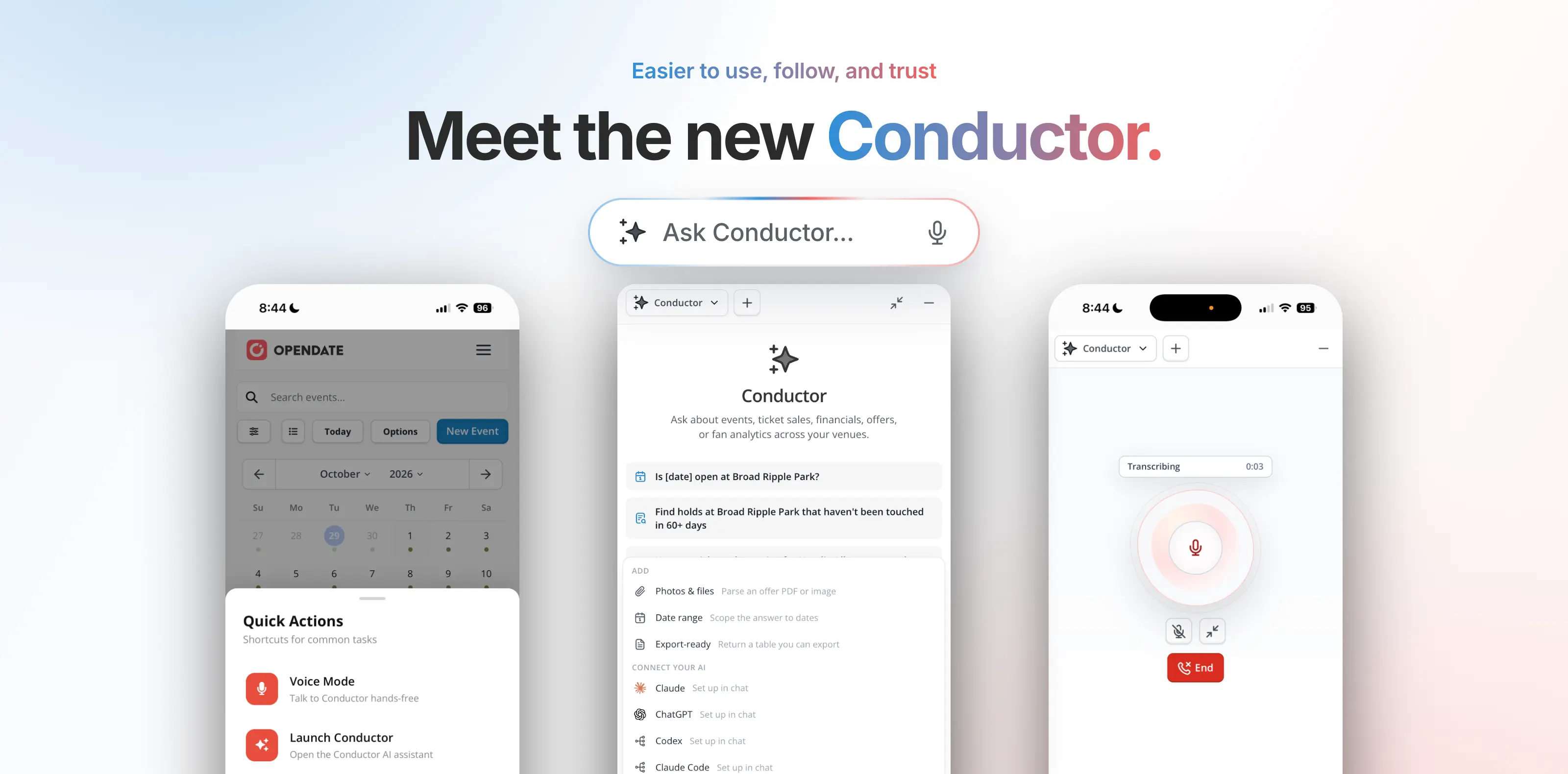
Conductor has a new look, and a lot more has changed along with it.
We enhanced Conductor to make working with Opendate faster, easier, and more transparent. You can now talk to it, keep it open beside your work, follow along as it works, and decide which information it draws from. And when you have a question about Opendate itself, the answer is now right inside Conductor.
Here's what's new and what it means for your team.
PS — Register for our next Conductor Office Hours on Thursday, October 15th to get close up look at what's new!
The first thing you'll notice is the new visual design. Conductor is cleaner and easier to read, so you can focus on the answer you need instead of hunting for it.
You can also talk to Conductor using your voice. If you're walking the room before doors, juggling a call, or simply find it quicker to say what you need, speak your question instead of typing it.
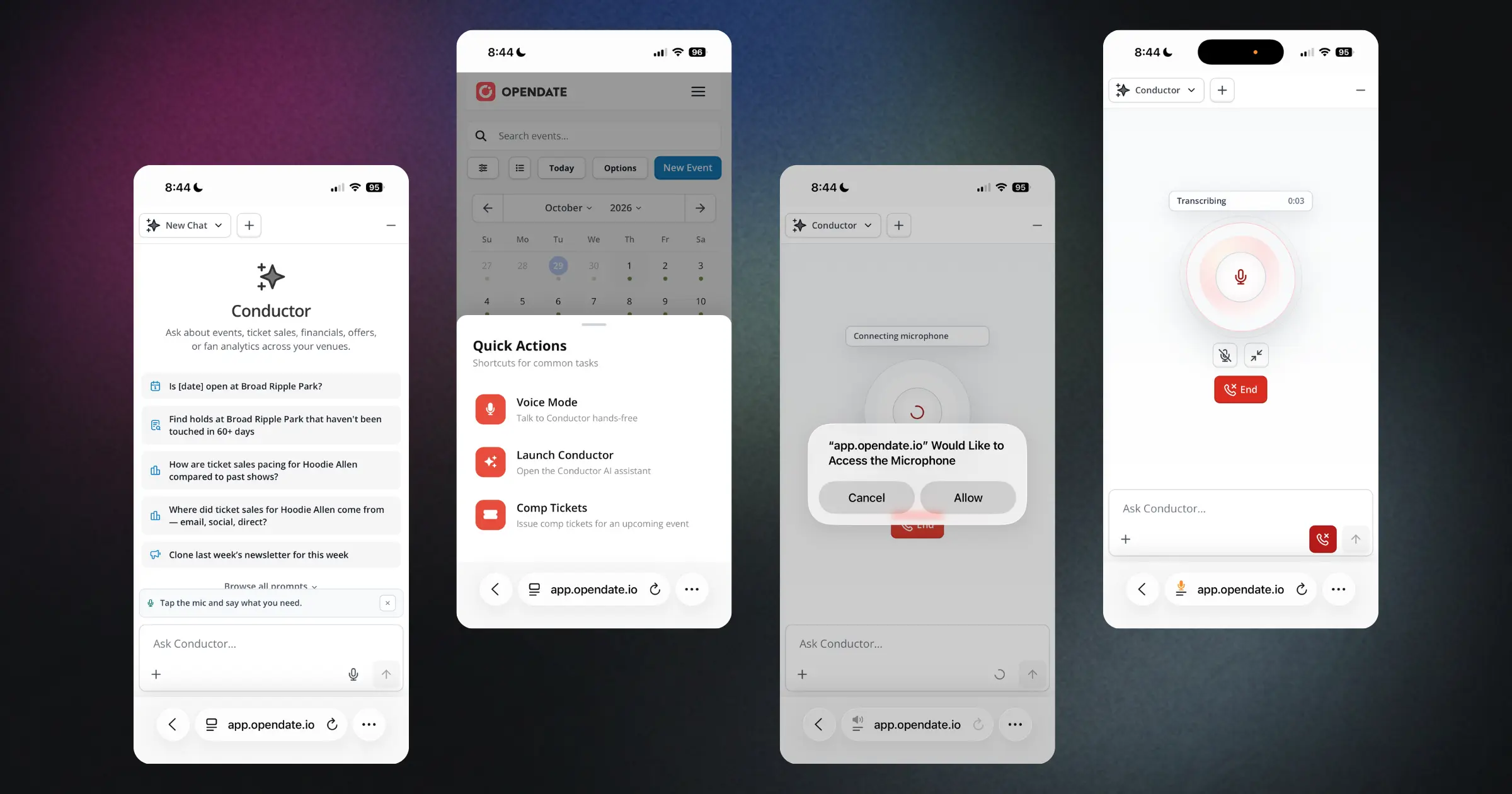
In addition to design and voice updates, Conductor can now be docked to the side of your screen. Rather than taking over your workspace, it sits alongside whatever you're working on. Your calendar, offers, or reports stay in view while you ask questions.
Finally, smart follow-up suggestions help you decide where to go next. After Conductor responds, it offers relevant next questions or actions, so you can keep moving without having to find the perfect wording.
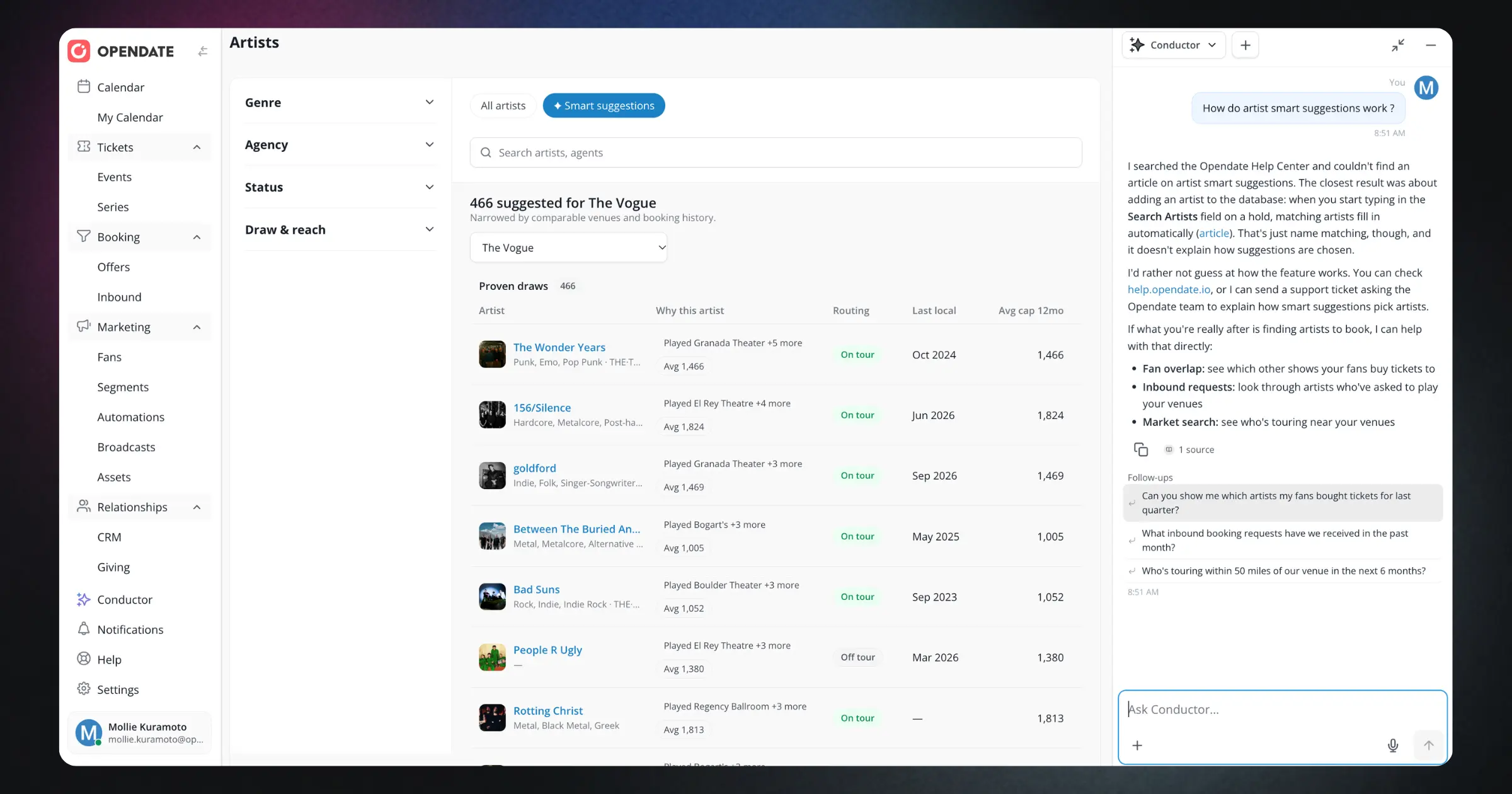
Waiting on a static screen leaves you guessing. Is it working? What is it looking at? How long will this take?
Now you can see Conductor working in real time. As it handles your request, you'll see the steps it's taking, so you always know what it's doing and where it is in the process.
That visibility gives you a clearer picture of how Conductor arrives at a response. If it's heading somewhere you didn't intend, you'll see it right away and can adjust your request.
Every venue team works a little differently, so Conductor now gives you more say in how it works for you.
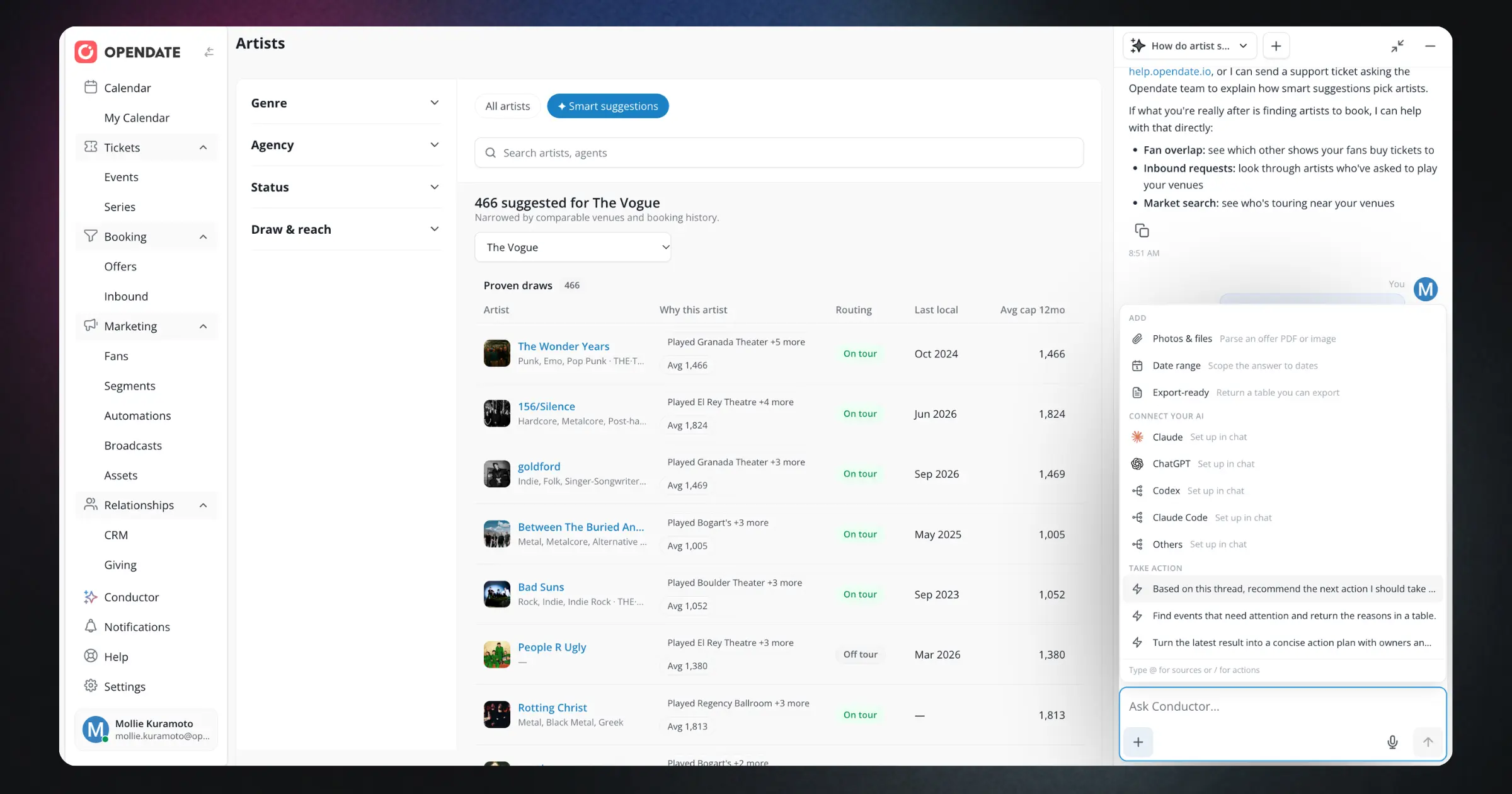
Add your own sources. Point Conductor to the information that matters to your team, so its responses reflect your context.
Connect your own AI. If your team already works with an AI it prefers, you can connect it to Conductor.
Browse available actions. A new actions menu shows what Conductor can do. Instead of guessing at its capabilities, you can scan the options and choose the one that fits the task in front of you.
See where every answer comes from. Every response now includes its sources. You can check the information yourself before you act on it, which makes it easier to use Conductor with confidence while you stay in charge of the final call.
Conductor is now powered by Claude Opus 5.5. In practical terms, Conductor is better at understanding what you're asking, including detailed or multi-part requests. Its responses are clearer, more complete, and easier to act on.
The decisions are still yours. Conductor helps you get to the right information and next steps faster, so you can spend more of your time on the work that needs your judgment.
We're also launching the Conductor knowledge base and a built-in Help Center.
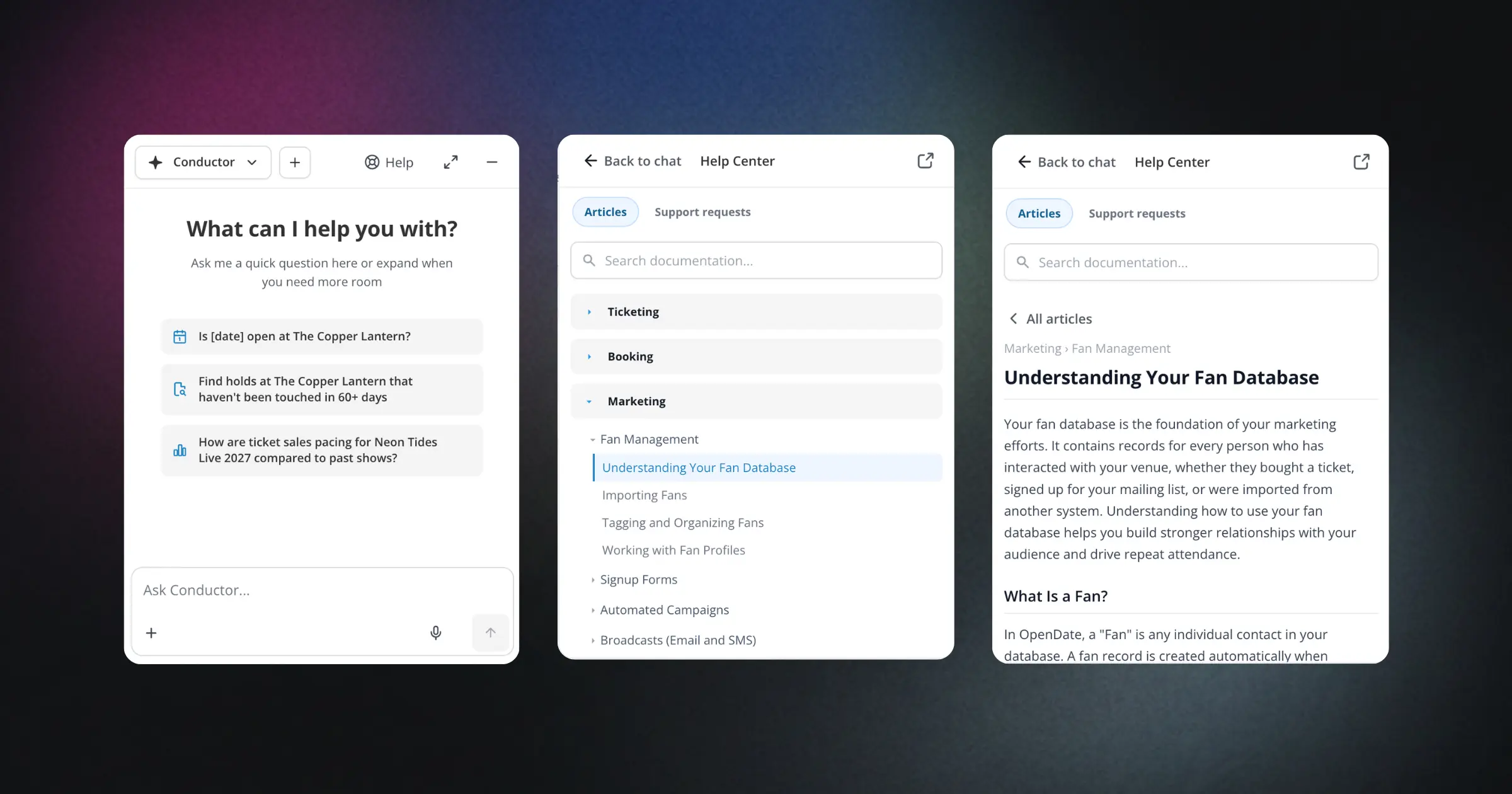
When you have a question about how something works in Opendate, you no longer need to stop what you're doing and search for an answer somewhere else. Product guidance and answers are available from inside Conductor, right where you're already working. In the Help Center, Conductor can also help you escalate concerns to a human quickly and efficiently. Once a request is submitted, you can check its status and follow up anytime from the new My Tickets tab.
That means fewer open tabs, less switching back and forth, and a shorter path from "How do I do this?" to getting it done.
Taken together, these updates make Conductor easier to use, easier to trust, and better connected to the way venue teams already work. You can talk to it or type, keep it beside your work, follow along as it works, choose what it draws from, see where each answer comes from, and get help without leaving the experience.
Open Conductor, try the new experience, and register for our next Conductor Office Hours to learn more.
New to Opendate? Request a demo.