See how Opendate can help you manage the entire event lifecycle.
Let us know who you are to unlock the demo video.
Thank you! Your submission has been received!
Oops! Something went wrong while submitting the form.


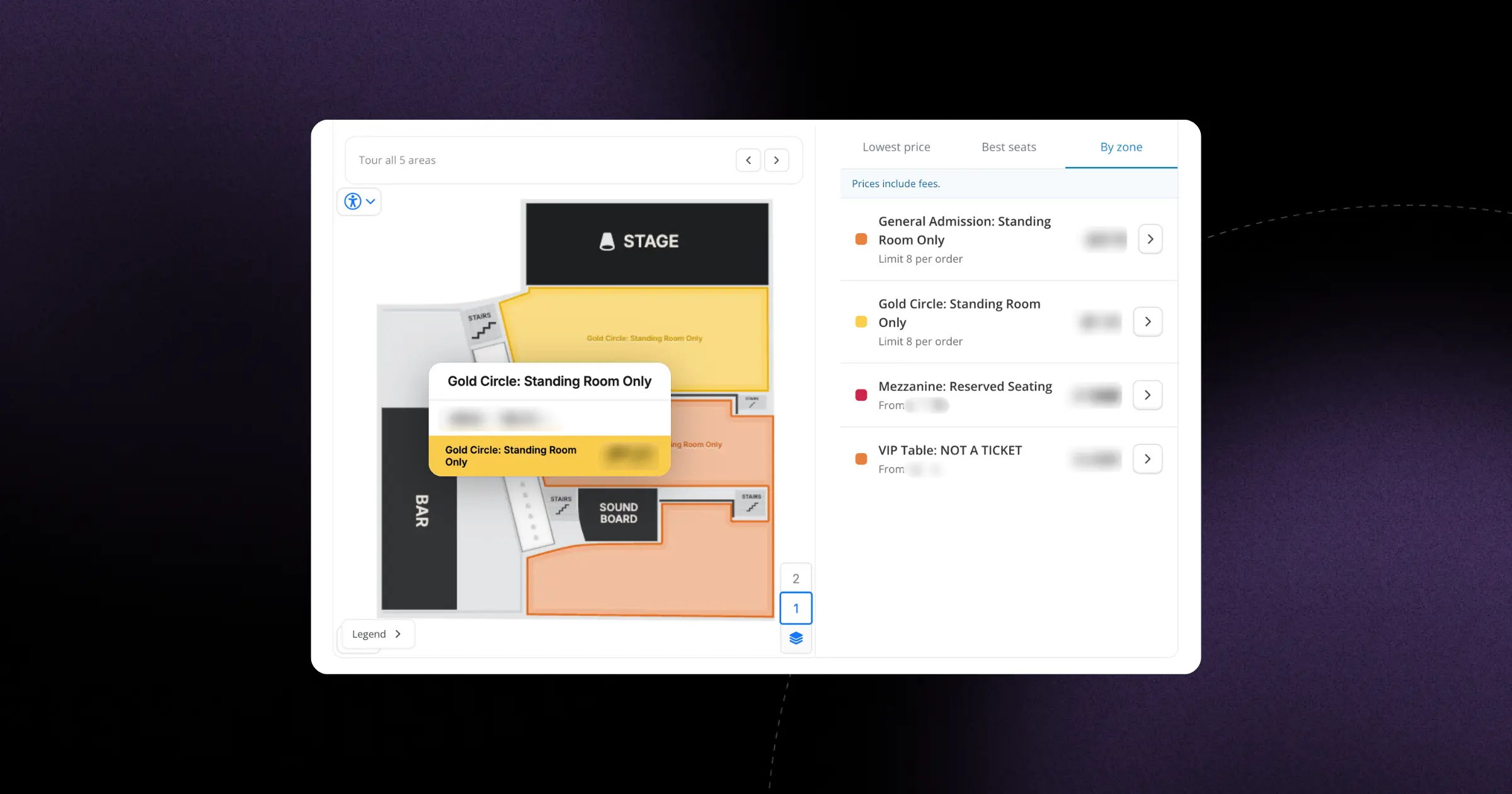
When you're selling reserved seats, helping ticket buyers find the right spot quickly makes all the difference. We've redesigned the seat map to make browsing sections clearer and faster, especially for venues with multiple floors or complicated layouts.
The legend now uses color-coding that matches each seating category directly on the map, so customers can see at a glance where the different price levels and section types are located. More importantly, they can now click any category in the legend to jump straight to those seats on the map. If you're viewing the all-floors overview and click a category on the second balcony, the map automatically switches to that floor and highlights the section. It's a small interaction that removes a lot of confusion.
For venues and promoters, this means fewer abandoned carts and less time spent answering "where exactly is Section 204?" questions. Fans can tour the venue on their own terms, compare sections visually, and feel confident about what they're buying. The result is a smoother path from browsing to purchase, which is exactly what a seat map should deliver.