See how Opendate can help you manage the entire event lifecycle.
Let us know who you are to unlock the demo video.
Thank you! Your submission has been received!
Oops! Something went wrong while submitting the form.


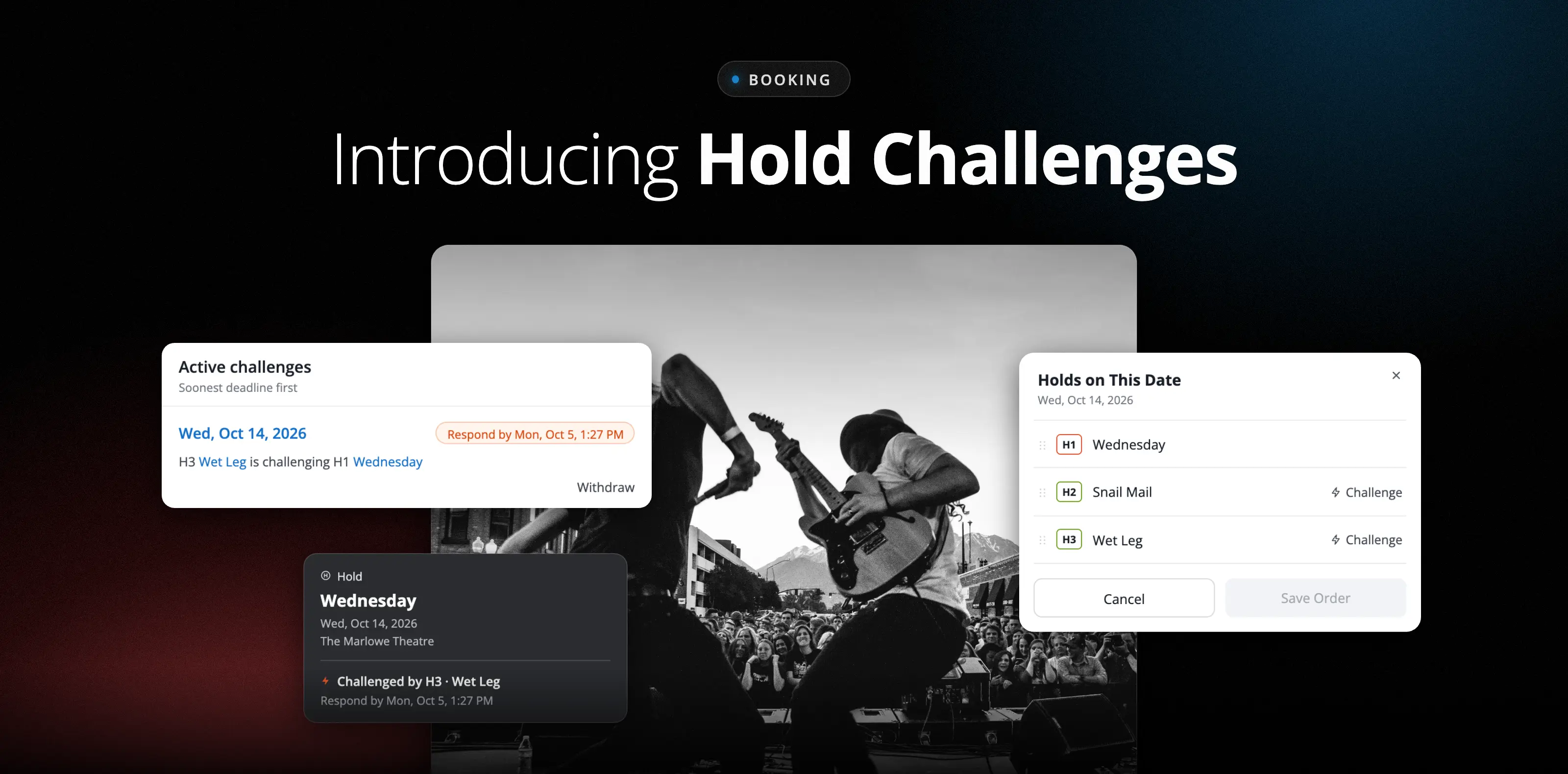
You know the drill. There are three holds on the same Saturday in your main room: one from an agent, one from an outside promoter, and one from your own talent buyer. The third hold is ready to challenge… but the challenge itself isn't the hard part. Keeping track of it is: which hold owes a response, when the clock runs out, and what happens to the date once you hear back.
Too often, those answers end up in different places, everywhere from an email thread to a text to whatever the booker remembers from Tuesday. Everyone is doing their job — the information is just scattered. That's how deadlines get fuzzy, follow-ups get duplicated, and dates slip through the cracks.
Opendate now lets you start a challenge directly from an eligible hold on your calendar. Opendate identifies the hold ahead of it, sets a response deadline, and adds the challenge to a centralized list where your team can track it through to a resolution.
Hold Challenges brings the full process into the calendar where your team already manages dates, rooms, and holds. You still talk with agents and promoters the way you always have. Opendate keeps the record of what's been challenged, who owes a response, and how it turned out.
When a hold has another active hold ahead of it, you can start a challenge right from that hold. There's no need to reconstruct the hold order or double-check positions by hand.
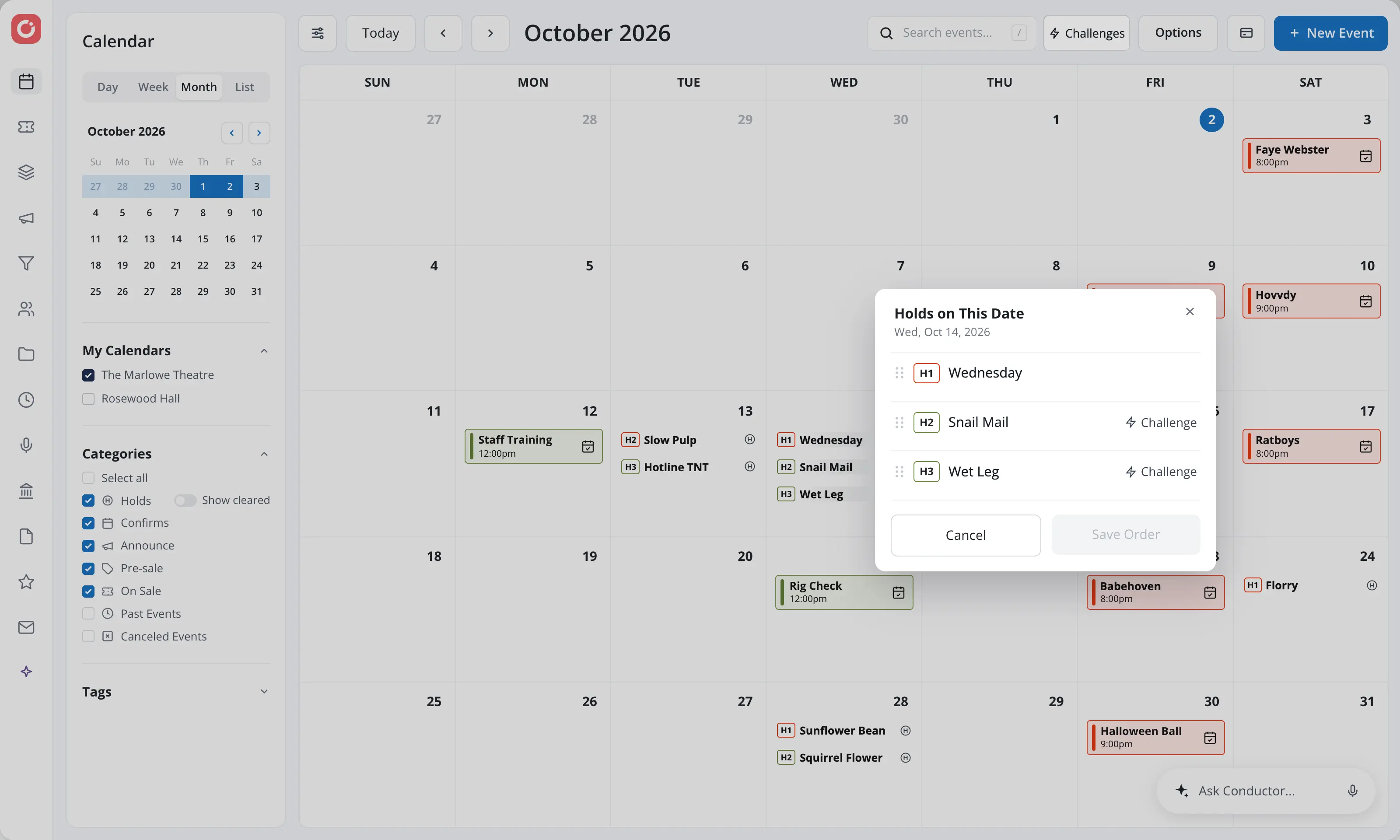
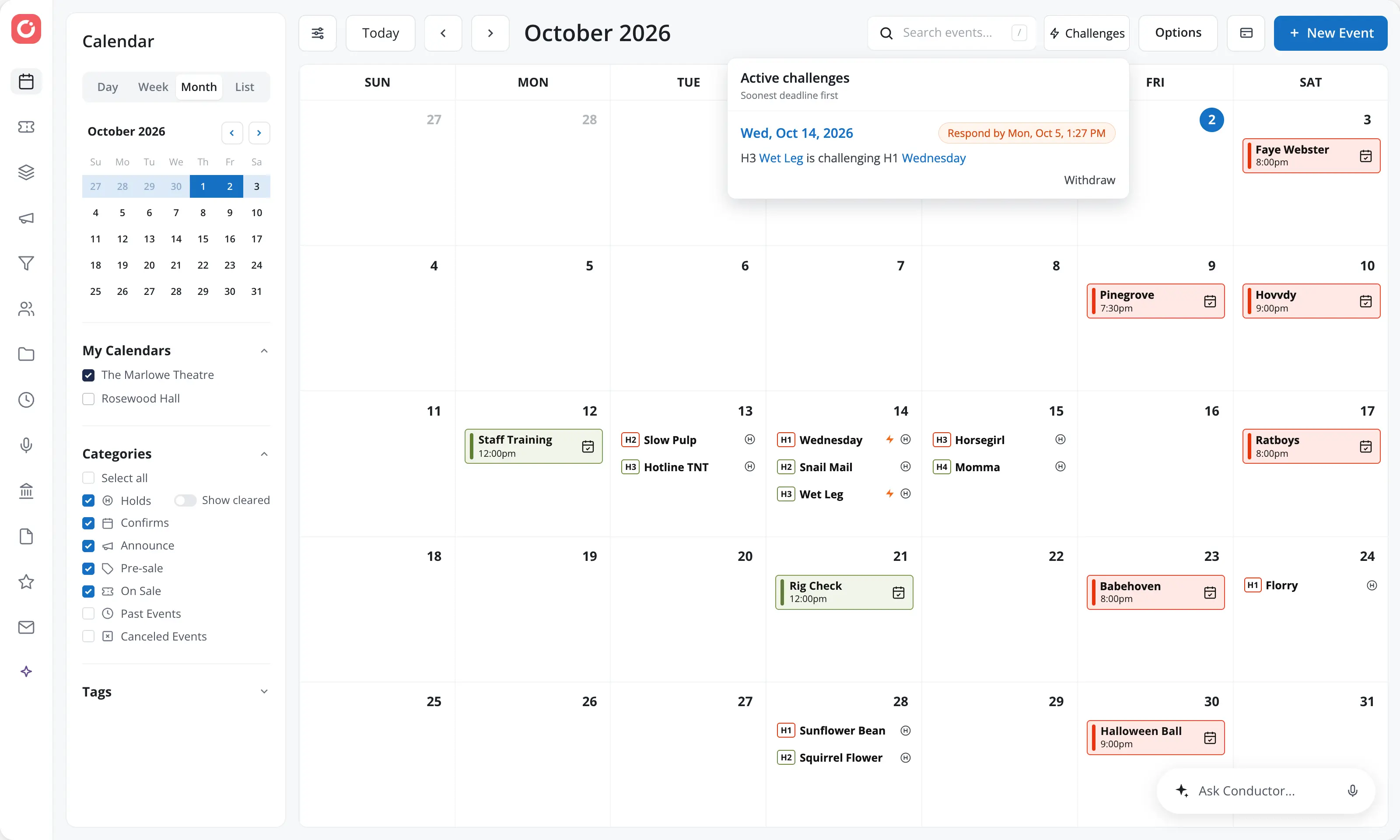
Active challenges live in a dedicated Challenges menu, ordered by the soonest deadline. Instead of clicking through future dates to remember what's pending, your team works from one queue.
Each challenge shows:
Urgent and overdue challenges are visually flagged, so you can see at a glance where follow-up is needed. From any challenge, you can jump straight to the date and holds on the calendar. Challenge status also appears on the calendar itself, so you're looking at the same information whether you start from the list or the date.
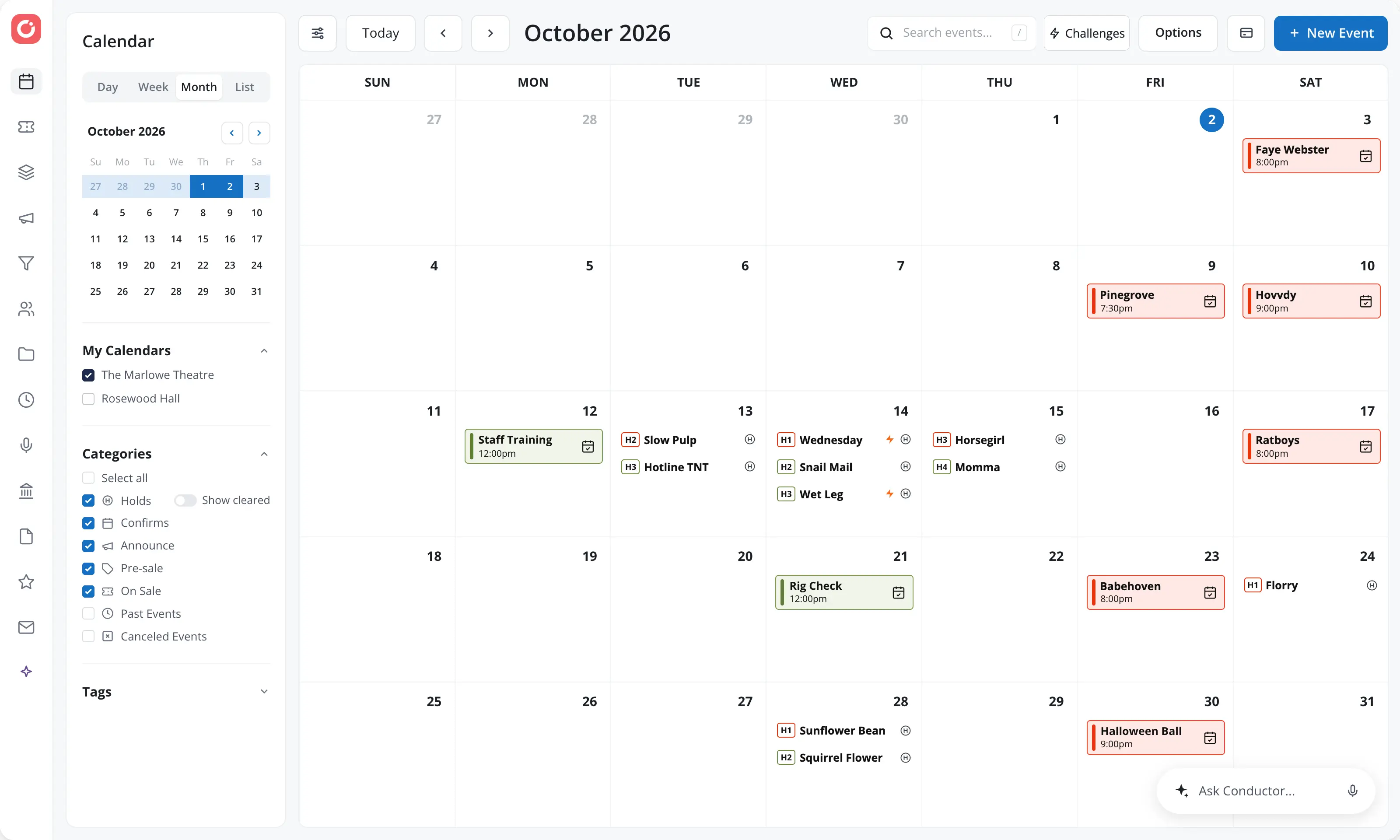
Once you hear back, record the outcome in Opendate:
Opendate also keeps each challenge aligned with changes to the underlying holds, including confirmations, cancellations, and releases. The Challenges list reflects what's actually on your calendar.
A note on overdue challenges: overdue status means the response deadline has passed, so your team knows it's time to follow up. It doesn't release a hold or change positions on its own. The outcome is still your team's call.
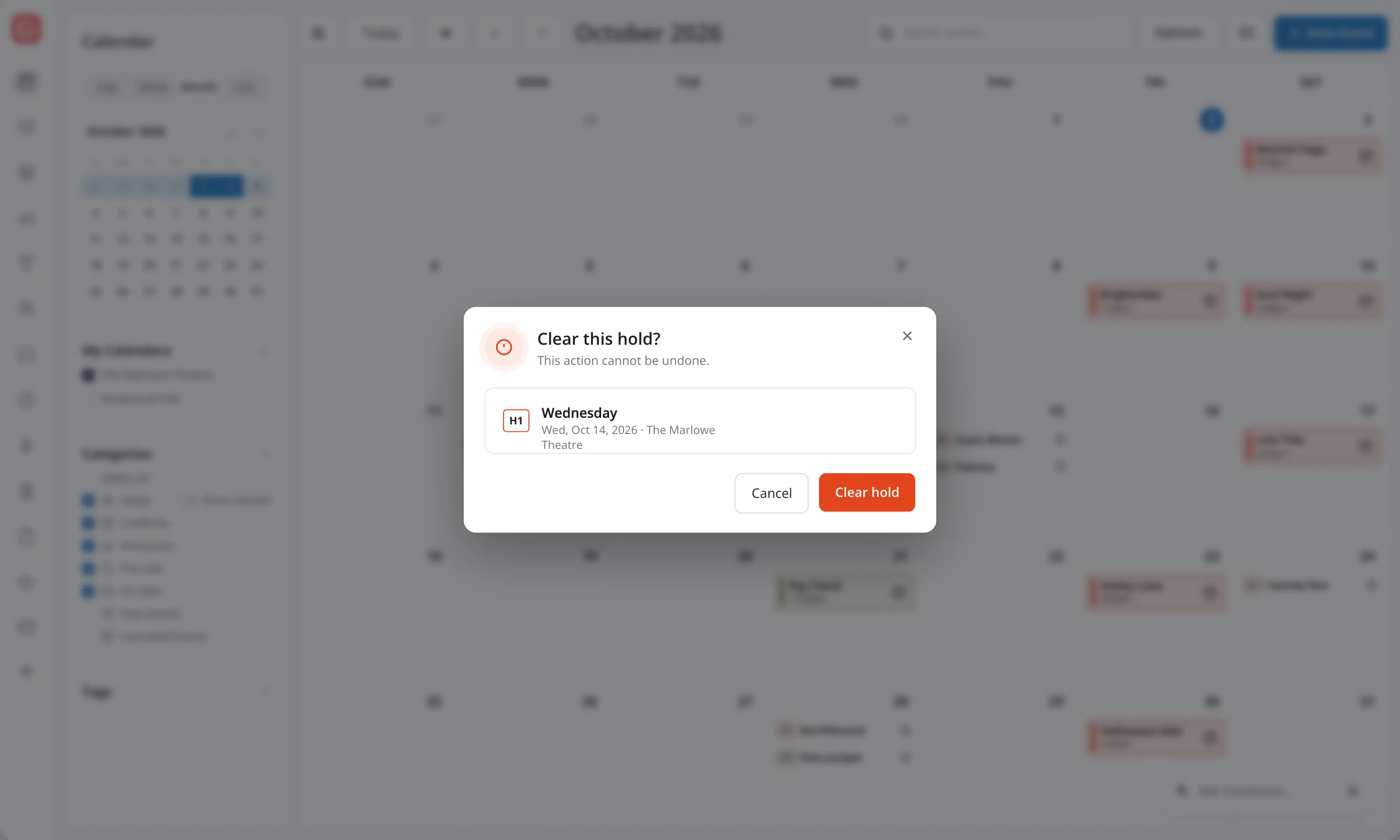
Time-sensitive hold decisions don't wait until you're back at your desk. Hold Challenges works in both Opendate calendar experiences:
Whether you're in the office, at load-in, or on the road, your team is working from the same up-to-date view.
Available actions depend on your permissions. Team members with calendar access can view challenges, while those with calendar management access can start and resolve them.
Hold Challenges gives booking teams a clearer way to manage competing interest without separating the challenge process from the calendar. Every active challenge, deadline, and outcome stays connected to the date and holds involved, right inside the venue booking workflow your team already uses.
Open your Opendate calendar and look for the new Challenges workflow, or contact the Opendate team if you need help getting started.
.avif)