See how Opendate can help you manage the entire event lifecycle.
Let us know who you are to unlock the demo video.
Thank you! Your submission has been received!
Oops! Something went wrong while submitting the form.


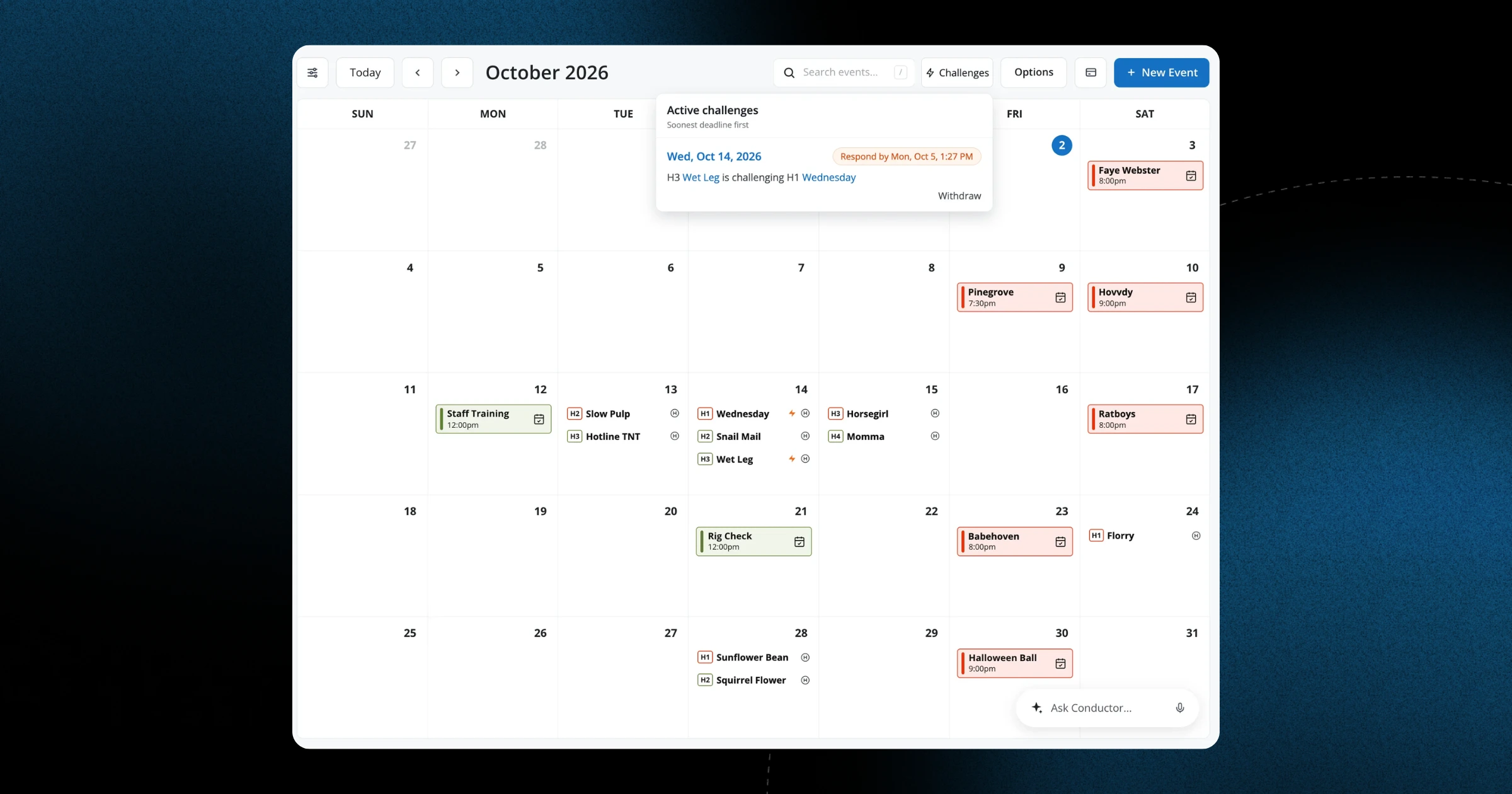
When you're juggling multiple holds for the same date, it's crucial to know which ones are actually competing with each other. Until now, marking a hold as Challenged meant going into the hold details page, which added extra clicks when you're already working quickly in calendar view.
Now you can add a Challenge status to any hold right from the calendar itself, whether you're on your laptop at the office or checking your phone between meetings. This means when a promoter reaches out about a date that's already on hold, you can mark it as Challenged immediately — right where you're already looking at your availability. The visual indicator shows you at a glance which dates have competing interest, so you can prioritize following up and get those holds resolved faster.
This update is available to all venues starting today, on both desktop and mobile. No setup required — just open your calendar and start using it. Read more in our blog post.
Note: guests and promoters do not have access to challenges.