See how Opendate can help you manage the entire event lifecycle.
Let us know who you are to unlock the demo video.
Thank you! Your submission has been received!
Oops! Something went wrong while submitting the form.


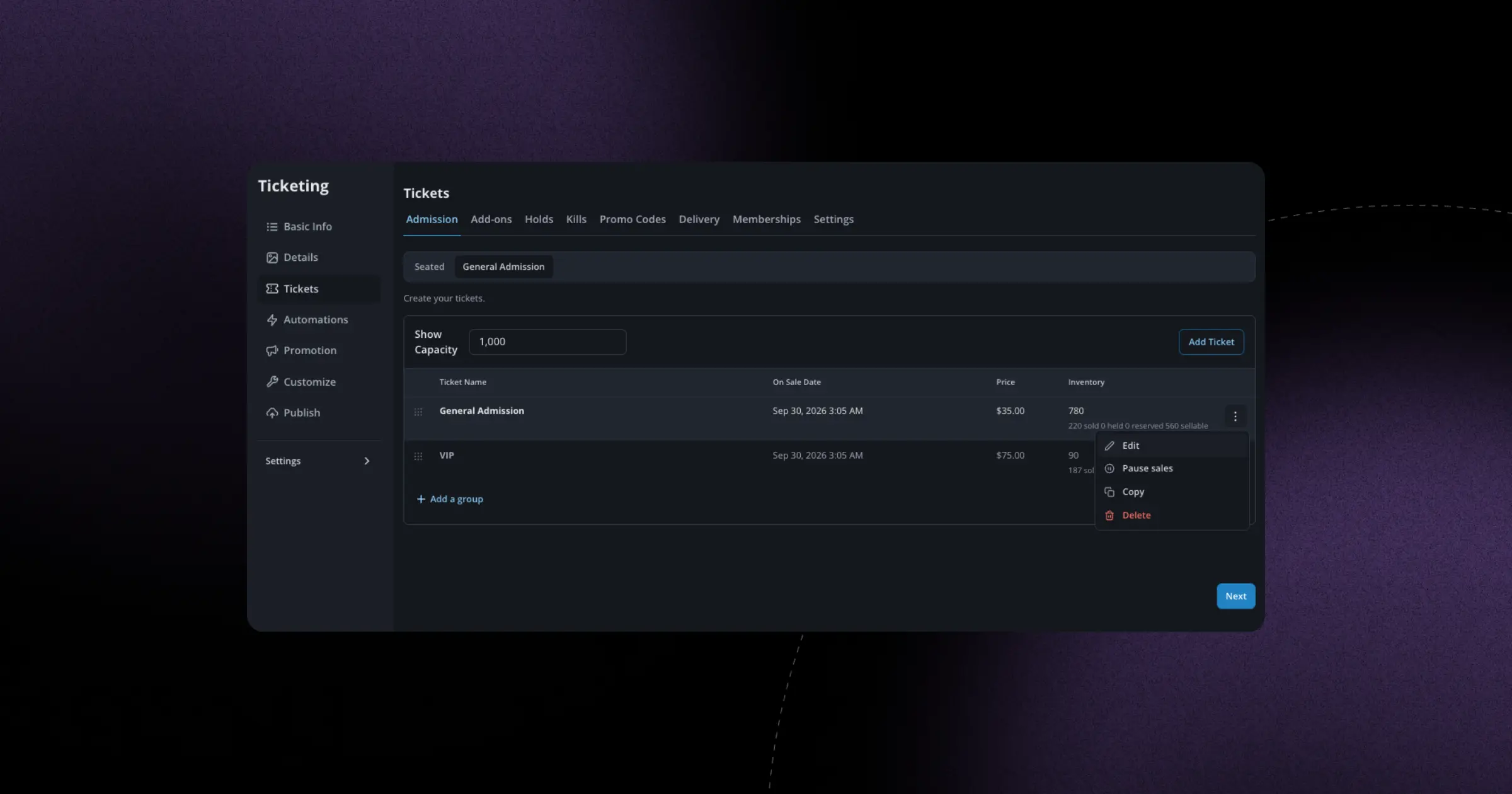
Managing ticket sales often means jumping between screens, clicking through menus, and waiting for pages to load just to make a simple change. We've streamlined that entire process by putting the most common ticket management actions right where you need them: directly on each ticket row.
When you're looking at your event's ticket types, you'll now see a dropdown menu on each row that lets you pause or resume sales, duplicate a ticket type, or jump straight into editing it. No more navigating to a separate settings page or hunting through tabs. If you need to temporarily pause VIP ticket sales because you're holding some back for a sponsor, or quickly duplicate your General Admission setup to create a new price tier, you can do it in seconds without losing your place.
This is especially useful when you're managing sales in real time. Maybe you're monitoring an on-sale and need to make quick adjustments as inventory moves, or you're backstage at a venue and need to pause online sales to release more tickets at the door. These actions now take one or two clicks instead of five or six, which means you spend less time clicking around and more time focused on your event.