See how Opendate can help you manage the entire event lifecycle.
Let us know who you are to unlock the demo video.
Thank you! Your submission has been received!
Oops! Something went wrong while submitting the form.


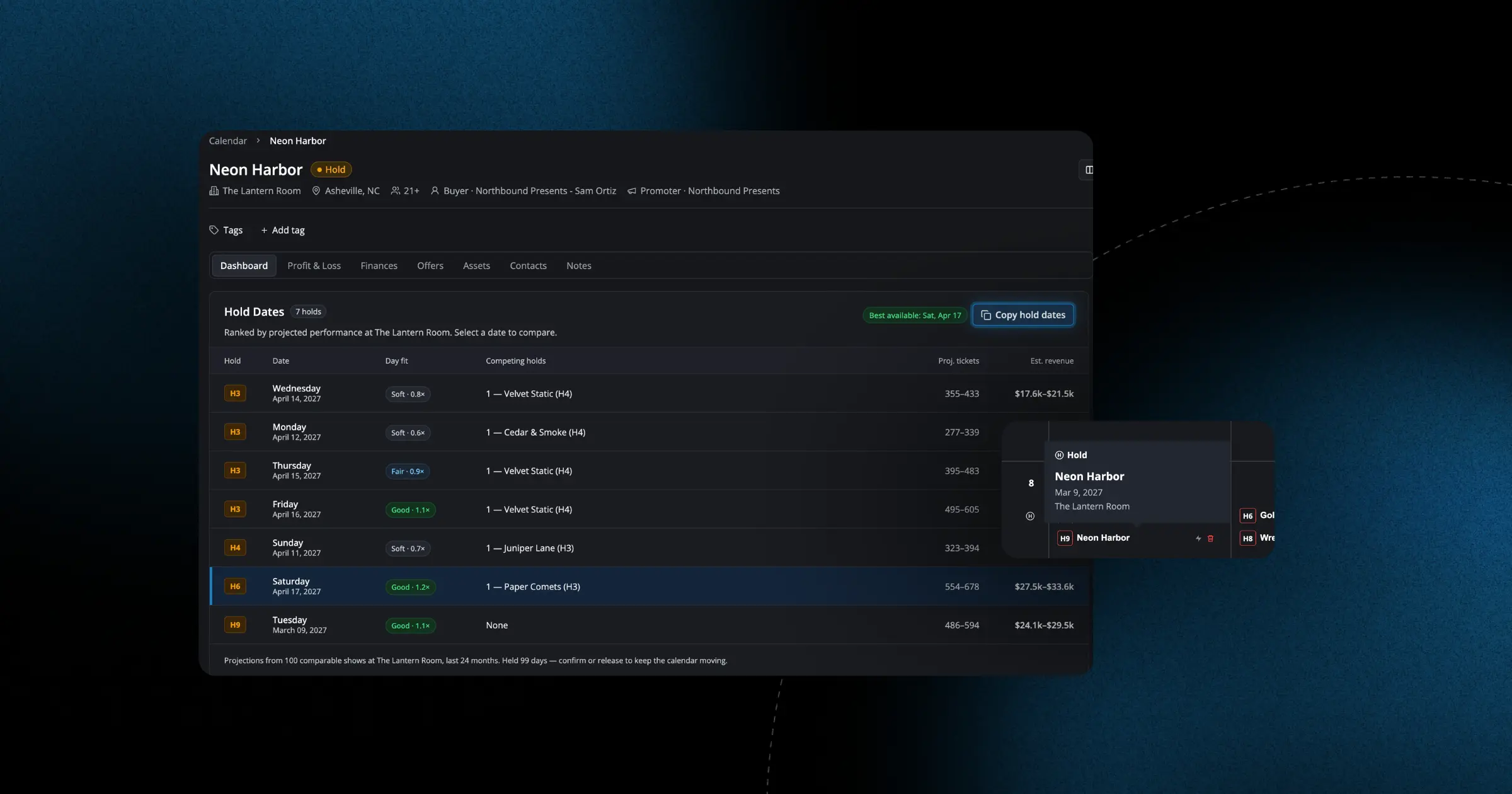
When you're juggling multiple inquiries and trying to lock down your calendar, every click counts. We've streamlined how holds work throughout Opendate so you can make decisions faster and see what you need at a glance.
You can now clear individual hold dates directly from the calendar view instead of navigating away to a separate page. This means when a promoter confirms they only need the Friday and not the full weekend, you can release those other dates immediately and get back to filling your venue. We've also added a quick-copy option on offer and event pages that lets you grab all the dates and their current hold status in one click—helpful when you're coordinating with your team or updating a promoter over email.
For multi-date holds, we've changed how past dates display. Instead of disappearing as each date passes, all dates in a hold now stay visible on your calendar until the final date is complete. This gives you a clearer picture of ongoing commitments and makes it easier to reference the full scope of a booking when you're planning around it. These changes mean less hunting through pages, fewer accidental double-bookings, and more time actually running your venue.