See how Opendate can help you manage the entire event lifecycle.
Let us know who you are to unlock the demo video.
Thank you! Your submission has been received!
Oops! Something went wrong while submitting the form.


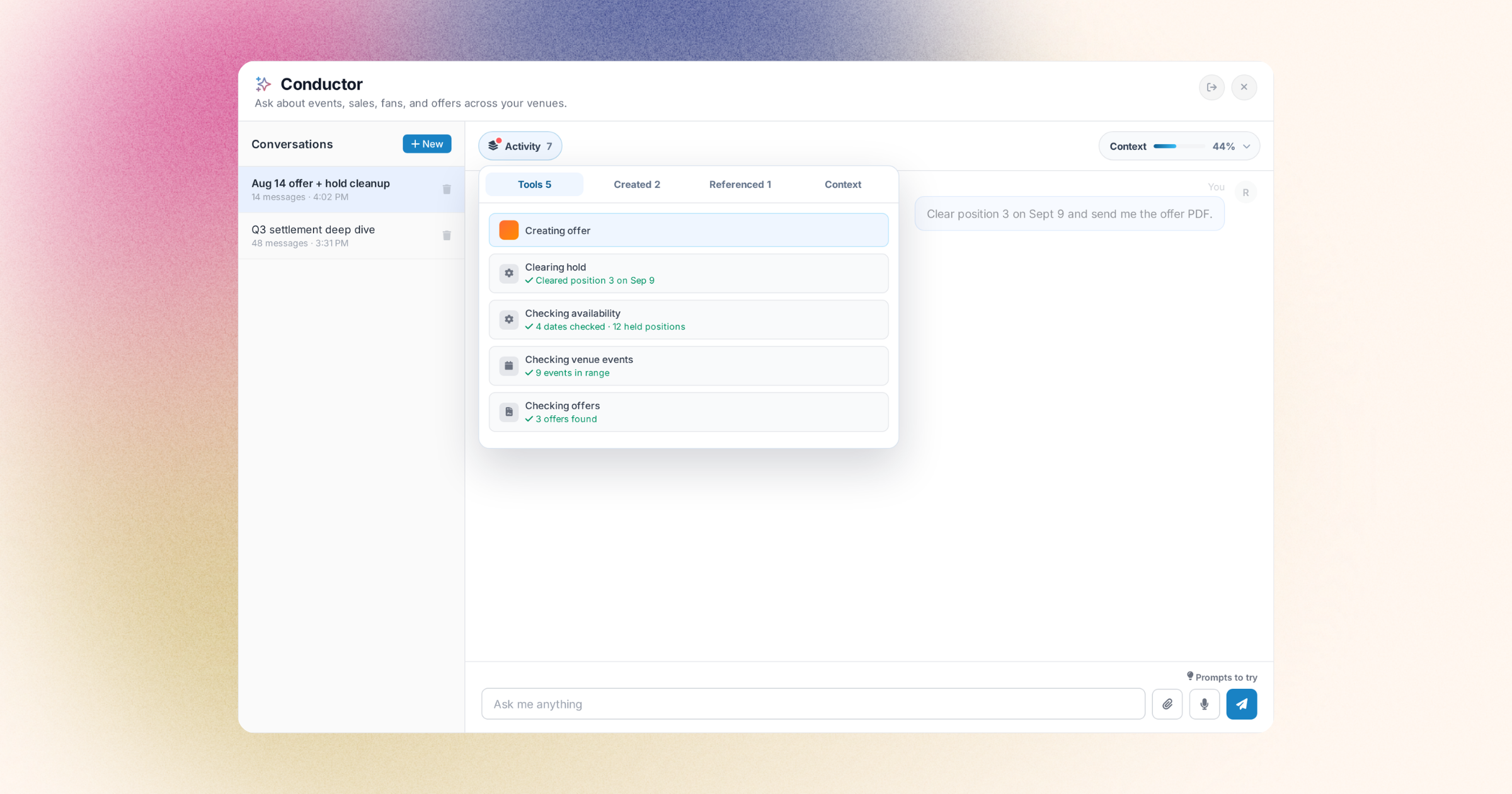
When you're working with Conductor to set up offers, pull reports, or manage your events, the conversation can get long. You might ask follow-up questions, refine your approach, or explore a few different angles before landing on what you need. That's exactly how it should work—but it also meant that the discount code Conductor created ten messages ago, or that sales report from earlier in the thread, could get buried in the chat history.
Now, everything Conductor does stays visible in a pinned activity bar at the top of your thread. When Conductor creates an offer, generates a report, or uses a tool on your behalf, it appears in the bar and stays there. You don't need to scroll back through the conversation to find what you're looking for. Click any pinned item to view the details, copy a discount code, download a report, or pick up right where you left off.
This means you can have natural, exploratory conversations with Conductor without losing track of the actual work being done. For venues and promoters managing multiple events or campaigns, it's a simple way to stay organized and move faster. The things you need are always right there.