See how Opendate can help you manage the entire event lifecycle.
Let us know who you are to unlock the demo video.
Thank you! Your submission has been received!
Oops! Something went wrong while submitting the form.


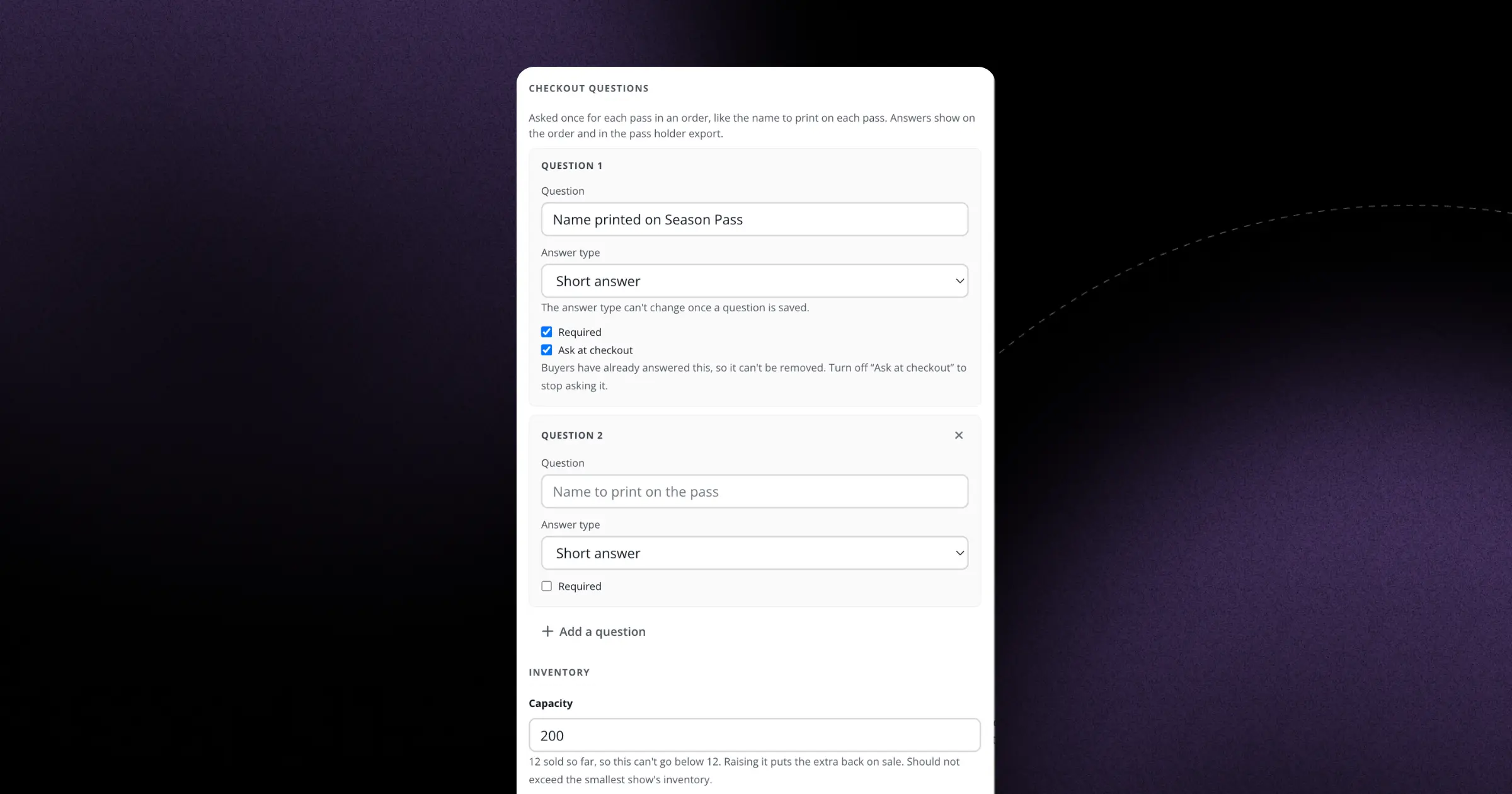
When someone buys a Series Pass that covers multiple events, you often need information about each individual attendee—not just the person placing the order. Until now, custom checkout fields only collected one response per order, which meant you'd have to follow up manually or guests would arrive without the details you need.
Now you can set custom input fields to collect answers for each pass in a Series Pass purchase. If someone buys a 3-event membership, they'll be prompted to provide the information you need three times—once per pass. This works for any field type: text inputs, dropdowns, checkboxes, whatever you need.
This means you can finally collect individual dietary requirements for each attendee at your supper club series, gather separate T-shirt sizes for every participant in your workshop program, or capture emergency contacts for each child enrolled in your summer camp pass. The information comes through clearly labeled in your order details and exports, so you know exactly which responses belong to which pass. No more spreadsheet archaeology or day-of scrambling.